Researched app comparison
7 AI landscape design apps, compared for real yards
The short answer
Our top pick is Gardenful for iPhone homeowners who want to turn a yard photo into a recognizable design, named plants, and suggested quantities. It is free to try. Choose Neighborbrite for browser access or Remodel AI for fast style exploration.
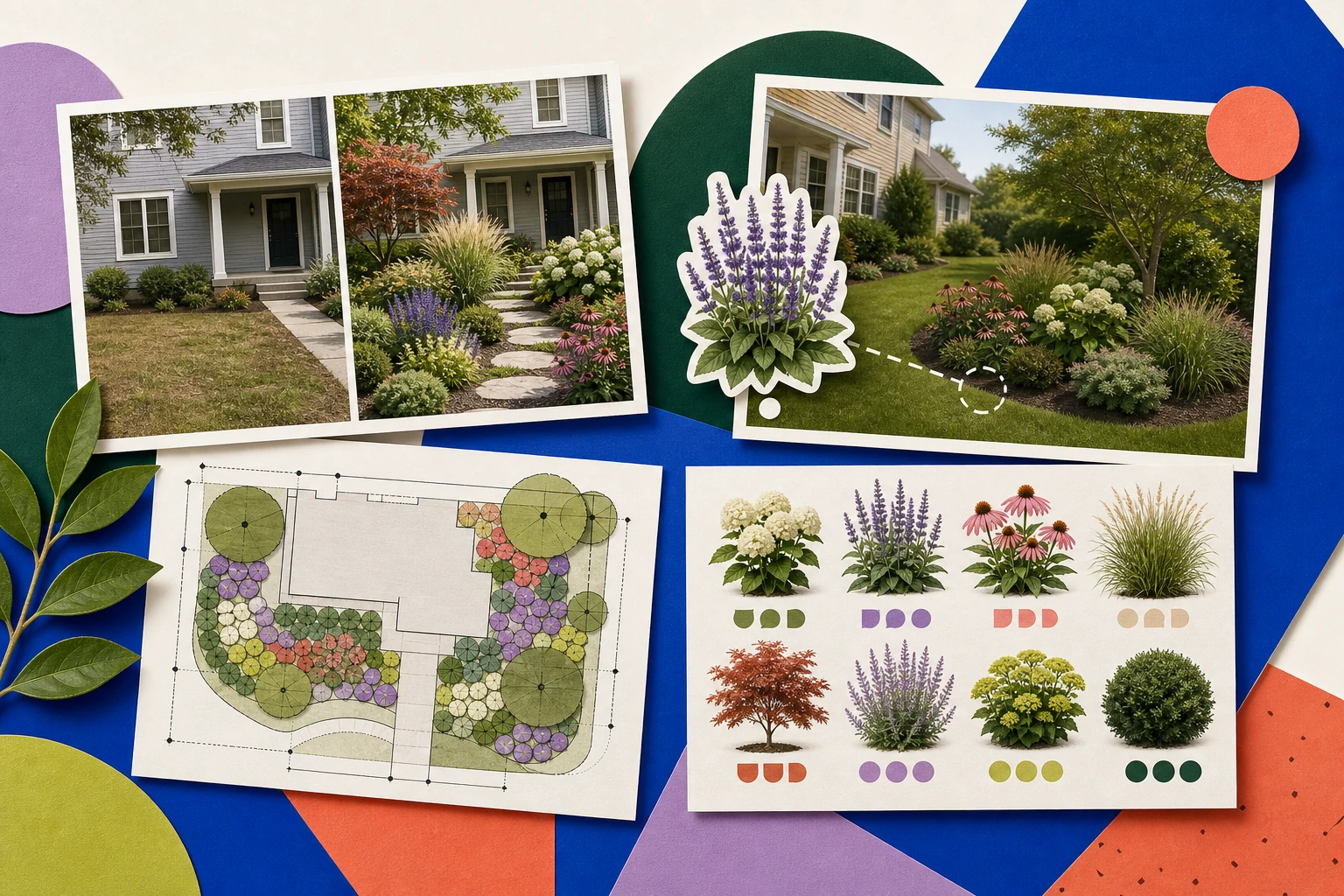
- Style idea
- Targeted edit
- Measured layout
- Named plant palette
Top picks at a glance
There is no single best app for every job. We ranked these for a beginner homeowner who wants to start with a real yard photo and leave with more than a style image: a recognizable yard, useful controls, identifiable plants, and a practical next step.
| Rank | App icon | Ranked pick | Best fit | Main tradeoff |
|---|---|---|---|---|
| #1 |  | Our top pick | Best fit Beginners who want a yard design plus a practical plant list | Main tradeoff iPhone only |
| #2 |  | Best fit Browser-based exploration and targeted edits | Main tradeoff Plant lists and estimating depend on the paid tier | |
| #3 |  | Best fit Fast visual style ideas | Main tradeoff A style preview, not a site-aware planting plan | |
| #4 |  | Best fit Browser-based renders plus plant lists | Main tradeoff Very little independent review coverage | |
| #5 |  | Best fit AI concepts, manual placement, and AR | Main tradeoff Broad feature set, but mixed iOS reviews | |
| #6 |  | Best fit Manual control and client proposals | Main tradeoff More hands-on work and pro-level pricing | |
| #7 |  | Best fit A large project packet without a subscription | Main tradeoff Ambitious outputs with limited independent validation |
Gardenful publishes this comparison. Our recommendations draw on product information, public reviews and a Penn State comparison.
Choose by your main priority
The overall ranking balances photo quality, plant information, controls, and next steps. If one need matters most, start here.
Best free-to-try options
Gardenful is free to try on iPhone, with a guided route from a yard photo to a design and plant list. Neighborbrite has limited free web access. Remodel AI advertises three free designs, but its website pricing lists garden design under Pro; do not assume the free allowance includes landscaping.
Best for beginners
Gardenful and Neighborbrite require the least gardening knowledge up front. Gardenful goes further for a first-time user because it can recommend the planting and return named plants with suggested quantities, so you are not left guessing what the render contains.
Best for hands-on control
iScape and DreamzAR let you place and resize plants yourself in AR or on a canvas. That control is the point for a confident planner, and more work than a beginner needs when the real question is what to plant.
Best if you do not have an iPhone
Neighborbrite, Gardenly, and DreamzAR work in a web browser. Neighborbrite offers photo concepts and targeted editing, Gardenly pairs renders with plant recommendations, and DreamzAR adds a manual 2D editor. Gardenful is iPhone-only.
Free limits, platforms, and prices change often. Confirm the current details on each app's own listing before you commit time or money.
Full reviews
Start with the result, price, and platform. Open a card for the workflow, what users praise, and what to know before paying.
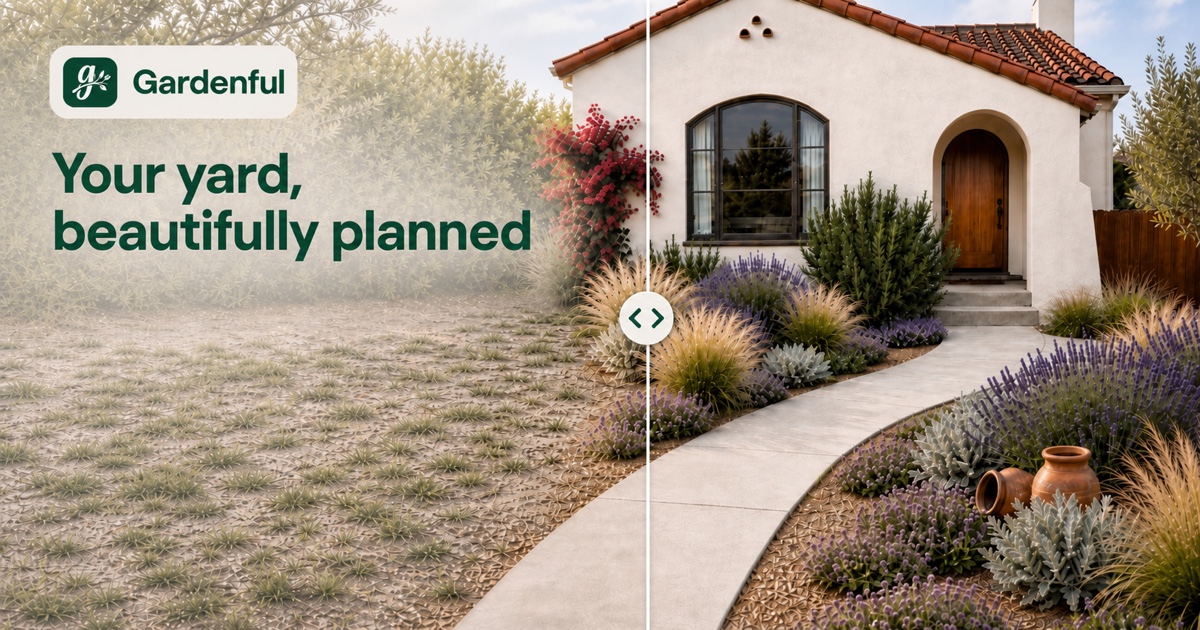
#1 Our #1 pick
Gardenful
Best for a recognizable yard design with a practical plant list
Gardenful keeps the redesign tied to your yard, then carries the same project into named plants and suggested quantities. You can also start from a plant you like.
Sources: Apple App Store
- Platform
- iPhone with iOS 18 or later
- Price
- Free to try. Garden Pass is listed at $7.99 weekly or $49.99 annually in the US App Store.
View Gardenful in the App StoreKey result
A before-and-after view tied to named plants, roles, suggested quantities, and design notes
See the design, notes, and plant list
One yard, from design to plant list
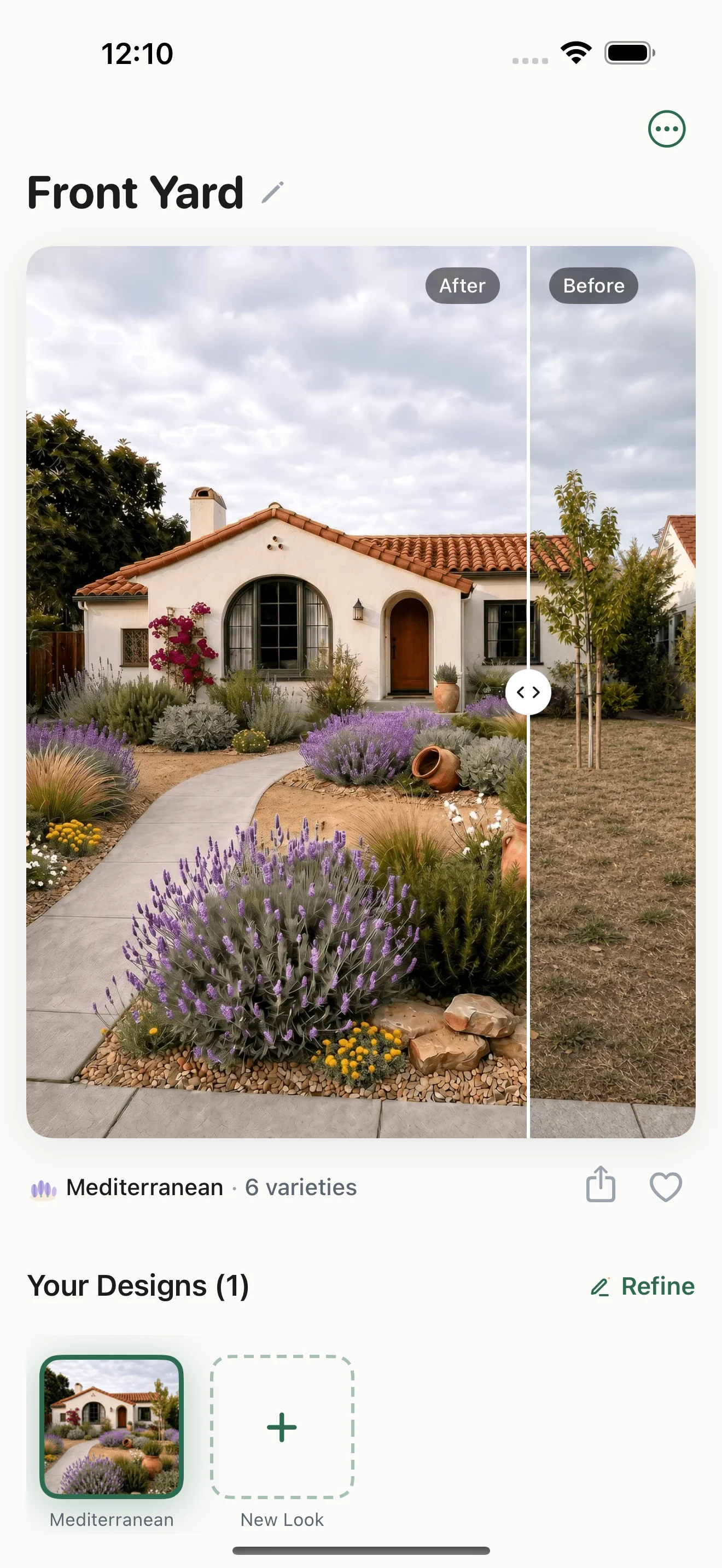
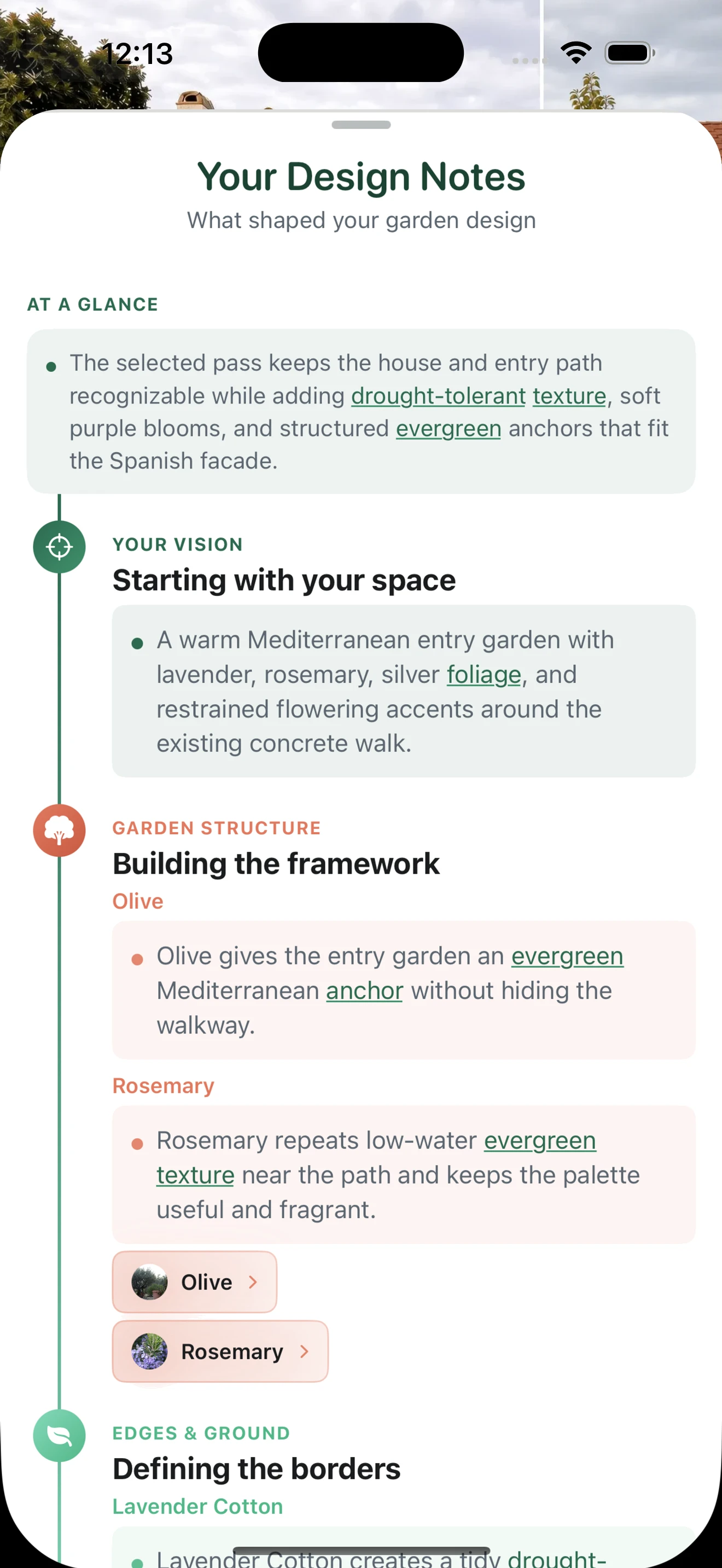
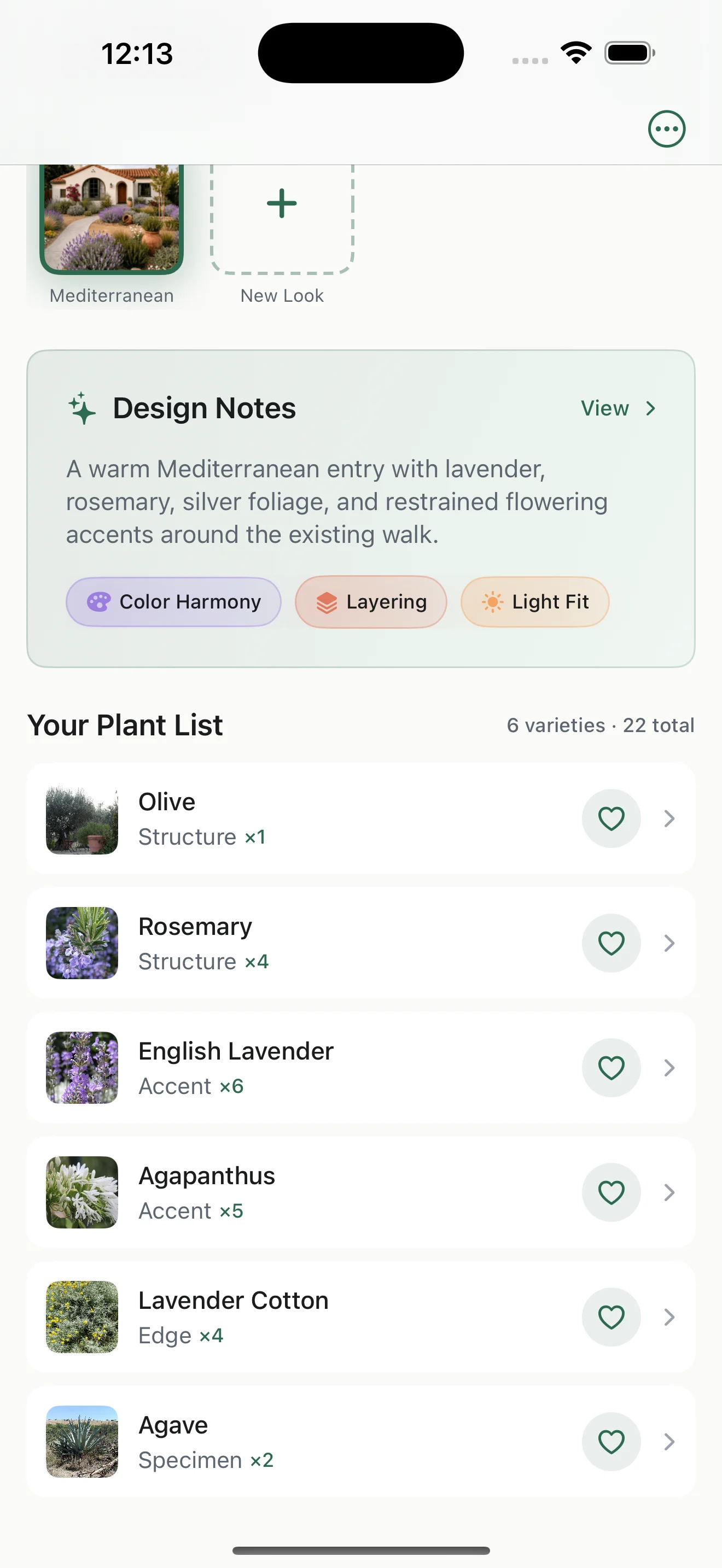
These three native screens follow one Spanish bungalow from the before-and-after view through the design reasoning and the matching six-plant list.
1
Compare the same yard
Check the planting concept against the original house, path, and point of view before moving into the plan.
2
Read the design notes
See how color, plant height, and sunlight shaped this Mediterranean entry before choosing plants.
3
Review what to plant
Move to the six named plants, their roles, and suggested quantities. Verify mature size, site conditions, and local availability before buying.
The same yard, design notes, and plant list stay connected in one project.
Features, results, reviews, and tradeoffs
- Visualization
- Choose the area you want to redesign. Gardenful is designed to keep the house, camera view, and unselected context recognizable while it develops a planting-led concept inside that scope.
- What users say
- Early reviewers praise the clean onboarding, plant information, and explanations behind the choices. The sample is still only six iOS ratings, so the 5.0 average is early feedback rather than a mature score.
What you get
- A before-and-after view tied to named plants, roles, suggested quantities, and design notes
- Saved variations with controls for style, required plants, fullness, path clearance, easy care, privacy, color, and a custom note
- Plant identification that lets you save a plant and try it in a new or existing yard design
Where it stands out
- Starts with the part of the real photo you want to plant and is built to preserve the fixed context around it
- Lets you start from a yard photo or from a plant you identify and want to see in your design
- Lets you require favorite plants and refine the result without deleting the original variation
- Keeps the visual, plant choices, quantities, and design reasoning connected in one beginner-friendly flow
What to know first
- The public review sample is still very small
- Suggested quantities and plant fit are a planning starting point; verify mature size, measurements, local availability, and site conditions before buying or building
#2 Best for Browser-based exploration with professional estimating tools on higher tiers
Neighborbrite
A broad outdoor-design platform that now spans quick style renders, targeted edits, climate-filtered plant lists, and business estimating tools.
Sources: Penn State Extension, Apple App Store, Neighborbrite, Google Play
- Platform
- Web, iPhone, iPad, and Android
- Price
- A limited free tier is available. The US App Store lists Pro at $24.99 without a visible billing period. The web Landscaper suite is $149/month; check the plan and billing terms you need.
Visit NeighborbriteKey result
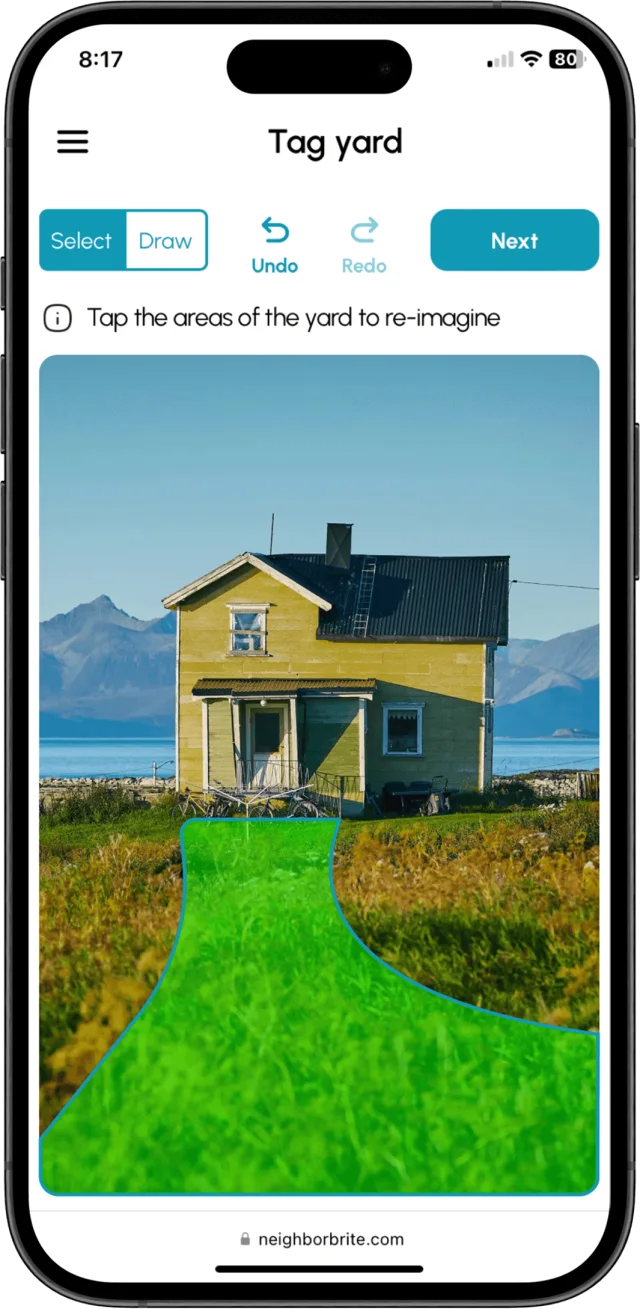
Multiple yard concepts from one photo
Features, results, reviews, and tradeoffs
- Visualization
- Photo-based AI concepts, preset styles, Magic Edit, Add Elements, erase and enhance tools, and high-resolution export on paid plans.
- What users say
- Users praise the speed of creating concepts and sharing them with clients. One visible early review reported a failed upload and address flow; the developer says that issue was fixed. The iOS listing showed 4.8 stars from 360 ratings when checked.
What you get
- Multiple yard concepts from one photo
- Plant Finder and lists filtered by location, hardiness zone, and sunlight
- On professional tiers, estimates, presentations, and live nursery inventory
Where it stands out
- Web access and a limited free tier, with more editing control than a one-shot style generator
- The professional product connects pictures to plant lists and estimates
What to know first
- Penn State's independent test found the native-bed result more convincing than the vegetable-bed result and could not identify most plants in the latter
- Plant lists, advanced edits, and business outputs vary by paid tier
#3 Best for Fast, polished style exploration
Remodel AI
A clear fit when you want to compare several styles quickly and may also be redesigning rooms or the house exterior.
Sources: Remodel AI, Remodel AI, Apple App Store, Google Play
- Platform
- Web, iPhone, iPad, and Android
- Price
- The website advertises three free designs but lists exterior and garden design under Pro, billed $349 yearly. App Store offers may differ; check the landscape features in the plan you intend to buy.
See Remodel AI's landscape guideKey result
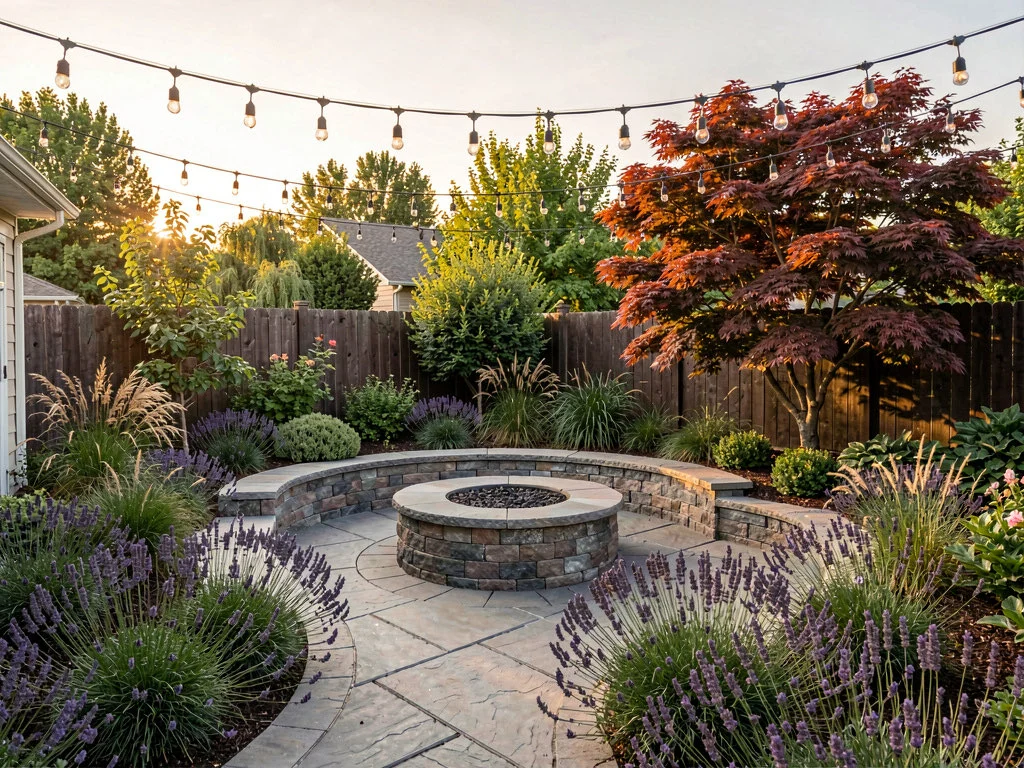
Downloadable photorealistic concept images
Features, results, reviews, and tradeoffs
- Visualization
- Whole-photo AI restyling with ten garden styles, before-and-after comparison, masking, and higher-realism models on paid tiers.
- What users say
- Users often praise the speed and range of ideas. The recurring concern is control: visible reviews report ignored prompts or unwanted changes. When checked, the broader home-design app showed 3.7 stars from 531 US App Store ratings and 4.6 stars from about 3.6K Google Play reviews; neither score is specific to landscaping.
What you get
- Downloadable photorealistic concept images
- Interior, exterior, staging, paint, and object-removal tools in the same subscription
- A visual reference to share with a contractor or nursery
Where it stands out
- A photo-and-style workflow for exploring a visual direction
- Useful when the first decision is style rather than exact plant selection
What to know first
- Remodel AI says its landscape mode does not know your hardiness zone, soil, or sun exposure
- Public reviews describe unwanted changes to structures, walkways, and areas outside the selected mask
#4 Best for A browser-based render with a planting and shopping list
Gardenly
One of the closest products to the visual-plus-plants workflow, with fast photo redesigns and climate-adapted recommendations bundled together.
Sources: Gardenly, Trustpilot
- Platform
- Web at gardenly.app; distinct from the Gardenly mobile app at ai-garden.app
- Price
- When checked, the site advertised a 50%-off annual offer: Starter at $4.50 per month ($54 billed annually) and Pro at $7 per month ($84 billed annually).
Visit GardenlyKey result
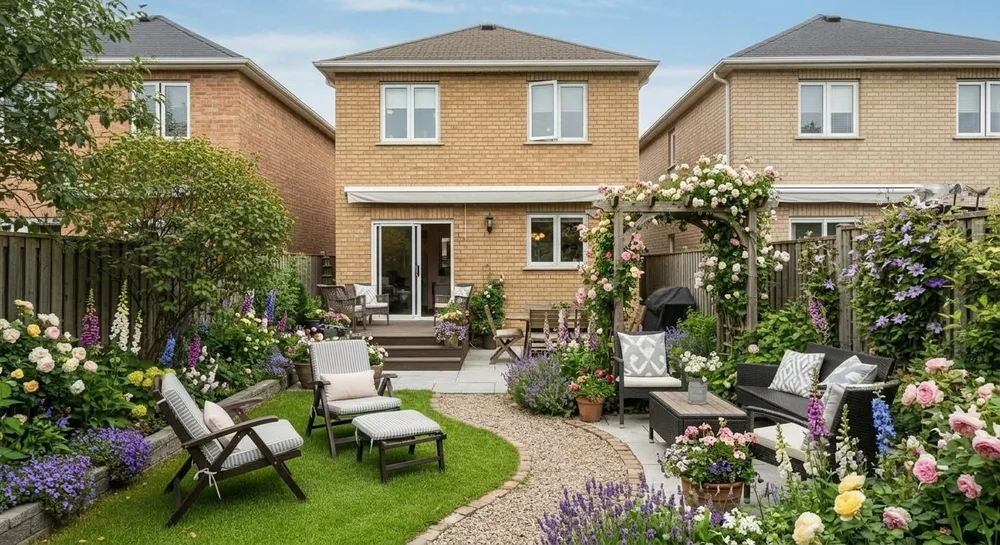
A climate-adapted plant and materials list
Features, results, reviews, and tradeoffs
- Visualization
- Photorealistic whole-yard redesigns in 27 or more styles, with multiple concepts and claimed sub-30-second generation.
- What users say
- The independent sample is too small for a reliable rating. Trustpilot showed one review, which criticized ignored edit directions, softer images after revisions, and a declined refund.
What you get
- A climate-adapted plant and materials list
- Suggested quantities and basic maintenance guidance
- Seasonal visualization and higher-resolution output on paid plans
Where it stands out
- Connects the image to named plants rather than stopping at a style mood
- Clear browser pricing and a seven-day money-back statement on the product site
What to know first
- Most visible praise is hosted by Gardenly itself
- Claims about respecting layout, exact quantities, and local fit need a larger independent review base

#5 Best for AI concepts plus manual 2D and camera-based plant placement
DreamzAR
A broad hybrid for someone who wants an instant AI concept, then the option to place individual plants or inspect a design in AR on iOS.
Sources: DreamzAR, DreamzAR, Apple App Store
- Platform
- iPhone, iPad, Android, and web; AR is iOS-only
- Price
- $19.99 monthly or $199 annually. Subscriptions are platform-specific and do not transfer between iOS, Android, and web.
See DreamzAR featuresKey result
Generated concept images and chat-based revisions
Features, results, reviews, and tradeoffs
- Visualization
- AI photo transformation, 38 or more styles, chat refinement, a manual 2D editor, and life-size 3D AR placement on supported iOS devices.
- What users say
- Positive reviews describe an intuitive photo workflow and useful conversations with landscapers. A detailed review praised the AI idea mode but called the 2D and 3D assets dated. The iOS listing showed 3.0 stars from 141 ratings.
What you get
- Generated concept images and chat-based revisions
- Manual designs using a library of more than 2,000 plants and features
- AR views, measurements, sharing, and cost-estimate tools
Where it stands out
- Three distinct ways to work instead of one generation mode
- A large named plant library and an unusual AR option for this category
What to know first
- The quality and polish appear uneven across AI, 2D, and AR modes
- The subscription price is substantial for a single homeowner project
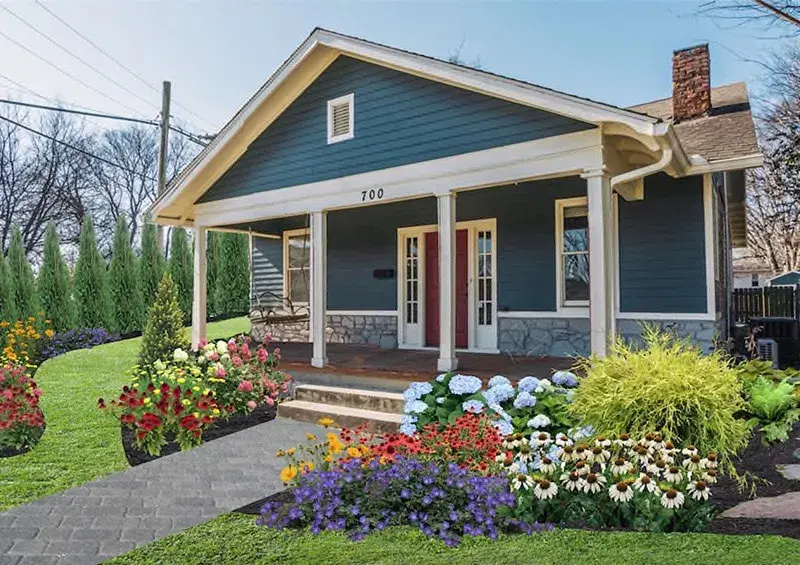
#6 Best for Manual placement, AR, and professional proposals
iScape
A mature choice for users who want to place plants and hardscape themselves, control the composition, and turn the selected items into a client proposal.
Sources: iScape, iScape, Apple App Store, Google Play
- Platform
- iPhone, iPad, Mac, and Android; features vary by platform
- Price
- A limited free trial is available. Pro is $29.99 monthly or $299.99 annually per user.
Visit iScapeKey result
Editable visual layouts and shared project images
Features, results, reviews, and tradeoffs
- Visualization
- Manual 2D placement on a yard photo and camera-based 3D placement on iOS, using a catalog of plants, materials, furniture, and hardscape.
- What users say
- Users value its control and client-presentation workflow; recurring complaints concern price, limited free access, loading, and crashes. The platform split is notable: 4.6 stars from 29K US App Store ratings versus 3.2 stars from about 1.1K Google Play reviews when checked.
What you get
- Editable visual layouts and shared project images
- An inventory of the items placed in the design
- On Pro, branded PDF proposals with descriptions and pricing
Where it stands out
- More placement control than a whole-photo AI restyle
- Useful business outputs for landscapers and contractors
What to know first
- The core workflow takes time and some design judgment; iScape says its automatic AI mode is still in beta
- Its price is easier to justify for recurring client work than for casual inspiration
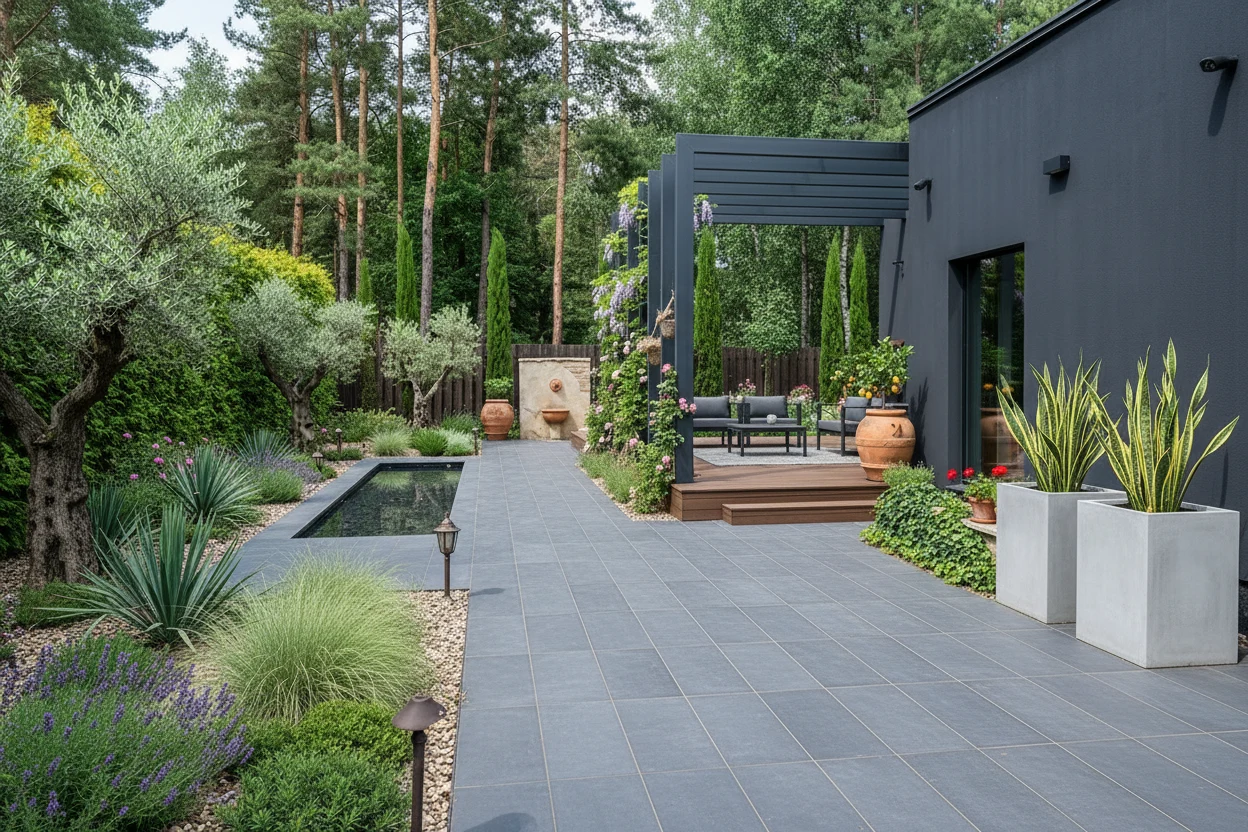
#7 Best for A large project packet without a recurring subscription
Hadaa
The most ambitious deliverable package in the group, aimed at people who want multiple views, seasons, a plant guide, and estimating material from one upload.
- Platform
- Web
- Price
- Hadaa lists one project at $12, or $9 each when buying three or more. Pro Studio plans are separate.
Visit HadaaKey result
A zone-checked planting guide with quantities and care notes
Features, results, reviews, and tradeoffs
- Visualization
- Up to 22 images from a project, including style variations, multiple camera angles, seasonal and night views, plus masking, text edits, and sketch or CAD rendering.
- What users say
- Hadaa advertises 4.8 stars from more than 2,000 reviews, but the claim is not linked to a review platform on the page we checked. G2 showed no published reviews, so we did not treat the site-hosted score as independent proof.
What you get
- A zone-checked planting guide with quantities and care notes
- A color-coded blueprint and bill of quantities
- 2K or 4K exports, with video and professional tools available
Where it stands out
- More output formats and viewpoints than the typical one-image generator
- Pay-per-project pricing may suit an occasional yard project better than a subscription
What to know first
- Blueprint, quantity, plant, and cost outputs still need measurement and professional verification before construction or purchasing
- Independent review evidence is thin relative to the breadth of the claims
Screenshots come from each company's official product or store pages. Prices and feature limits change, so recheck the listing before subscribing.
How to test any AI landscape app
A polished image is only the first test. Check whether the app preserved your yard and gave you plant or project information you can use.
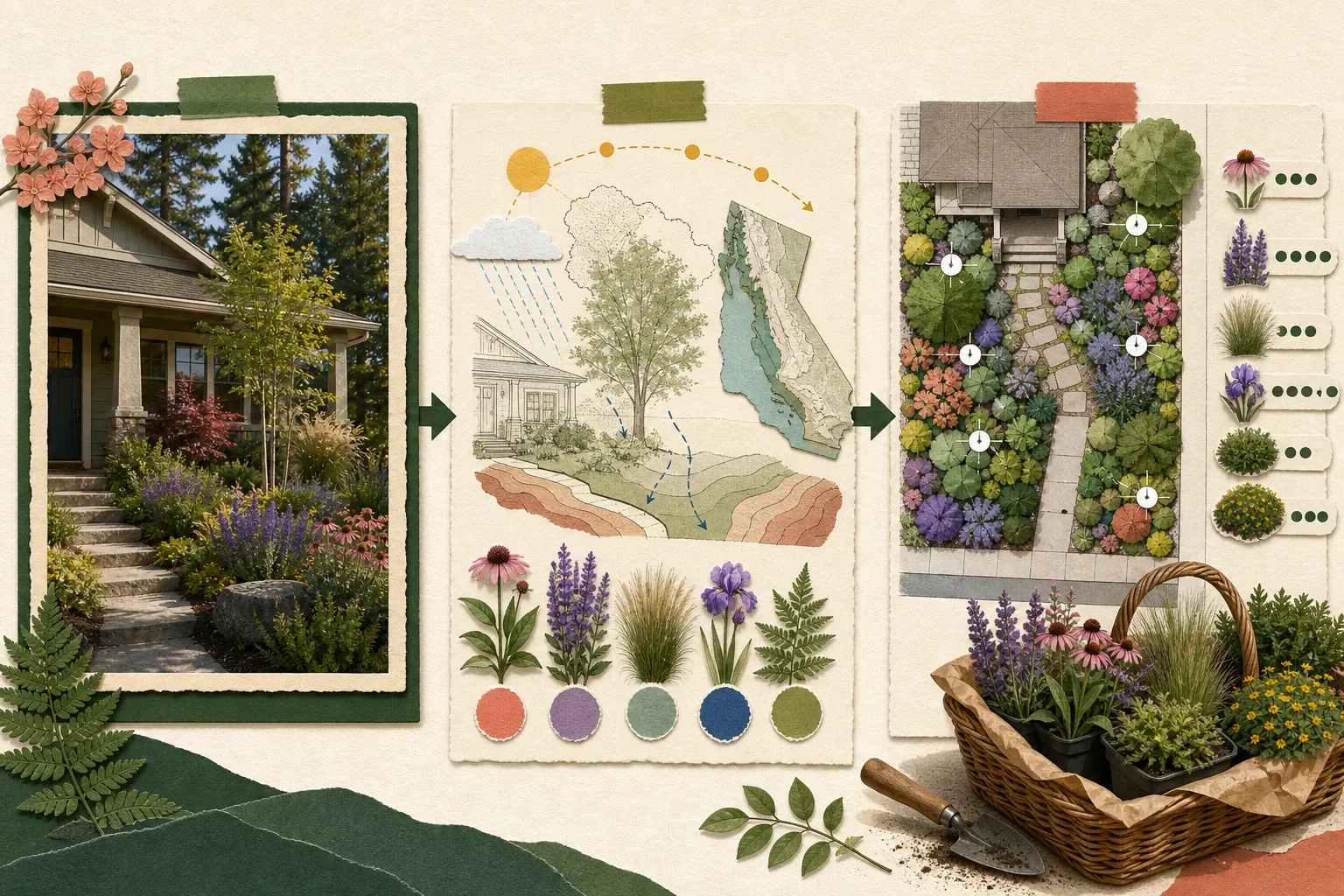
Photorealistic only tells you that the output looks like a photograph. It does not tell you whether the house stayed the same, whether the path moved, or whether the flowers in the image exist as identifiable plants.
Climate-aware means the tool uses location or growing conditions to narrow the plant choices. That is helpful, but it is not a survival guarantee. Sun, soil, drainage, water, mature size, and the exact variety still matter.
Check whether the result still looks like your yard and leads to named plants, useful quantities, and decisions you can verify. That is what turns a polished image into a practical starting point.
Run the same five-minute reality check
- 1Upload a photo with one feature the app must preserve, such as a mature tree, window, path, fence, or driveway.
- 2Ask for one specific change, then check whether the tool altered unrelated architecture or hardscape.
- 3If the image shows plants, ask whether each plant has a real name, mature size, quantity, and relationship to the visual.
- 4Open the price screen before investing time. Check whether edits, downloads, plant lists, and commercial use require different tiers.
- 5Treat every AI result as a starting point. Verify plant fit, measurements, utilities, drainage, local rules, and construction decisions with appropriate local help.
Frequently asked questions
What is the best free AI landscape design app?
Gardenful is free to try on iPhone and is our pick for beginners who want a yard design plus a plant list. Neighborbrite has limited free web access. Remodel AI advertises three free designs, but its website places garden design in Pro. Check the current landscape-specific allowance before paying.
Are AI landscape design images accurate?
They can be useful for choosing a style and showing someone what you have in mind. They are less reliable for exact scale, unchanged architecture, mature plant size, species identity, drainage, and construction detail. Preserve important features in your test photo and verify the result before treating it as a plan.
Which apps include real plant information?
Gardenful, Gardenly, Neighborbrite, Hadaa, DreamzAR and iScape provide plant information in different ways. Check whether the list matches the design, includes quantities or spacing, and comes with the plan you choose.
Does climate-aware mean the plants will survive?
No. Climate or hardiness-zone filtering is a useful first pass, not a survival guarantee. Sun, soil, drainage, water, wind, reflected heat, mature size, local rules, establishment care, and the exact variety still matter.
Can AI landscape design apps include paths and hardscape ideas?
Yes. Choose the part of your photo you want to redesign. Gardenful can explore planting, paths, and other hardscape changes inside that selection while keeping the house and unselected areas recognizable.
What app lets me take a picture of my yard and get a design?
Most tools in this comparison work from a photo. Gardenful is our top pick for beginners because it keeps the workflow tied to your yard and finishes with named plants and suggested quantities. It is free to try on iPhone.
How should I compare AI landscape design apps fairly?
Use the same yard photo, selected area, brief, and site facts for each app. Check whether the fixed context stayed recognizable, whether the requested change happened, whether the plants are identifiable, and whether the result leads to a useful next step. Record prices and feature limits separately because they change over time.
GardenfulTry Gardenful on the part of your yard you care about most.
Use a photo with a path, driveway, window, or mature tree, choose one planting area, and see whether the result still feels like the same place. Then review the real plant list behind it.
Gardenful for iPhone
Download the app free and start with a photo of your yard.

How we compared the apps
We focused on the result a homeowner can use, not the longest feature list or highest store rating.
We asked four questions: Does the yard stay recognizable? Can you control what changes? Are the plants identifiable and relevant to the site? Do you leave with something useful beyond an image?
We rechecked official product and pricing pages, store listings, public reviews, Gardenful's current workflow, and an independent Penn State Extension comparison on August 4, 2026. Review patterns helped us find strengths and recurring problems, but ratings did not set the order.
For this beginner-homeowner brief, Gardenful is our recommendation. Neighborbrite, Remodel AI, DreamzAR, and iScape can be better fits when browser access, fast style exploration, AR, or manual placement matters more.
Research sources(20)
Official product pages, store listings, public reviews and independent sources used for this comparison.
- [1]
- [2]
- [3]
- [4]
- [5]
- [6]
- [7]
- [8]
- [9]
- [10]
- [11]
- [12]
- [13]
- [14]
- [15]
- [16]
- [17]
- [18]
- [19]
- [20]