AI landscape design comparison
OutdoorBrite vs Neighborbrite for your yard
The short answer
Start with Neighborbrite if you want to explore your yard photo for free. Consider OutdoorBrite if you want a paid allowance for repeated concepts and edits, with regional plant lists on Plus. Both work in a browser. The useful comparison is what you can try, change and take away on the plan you would actually buy.
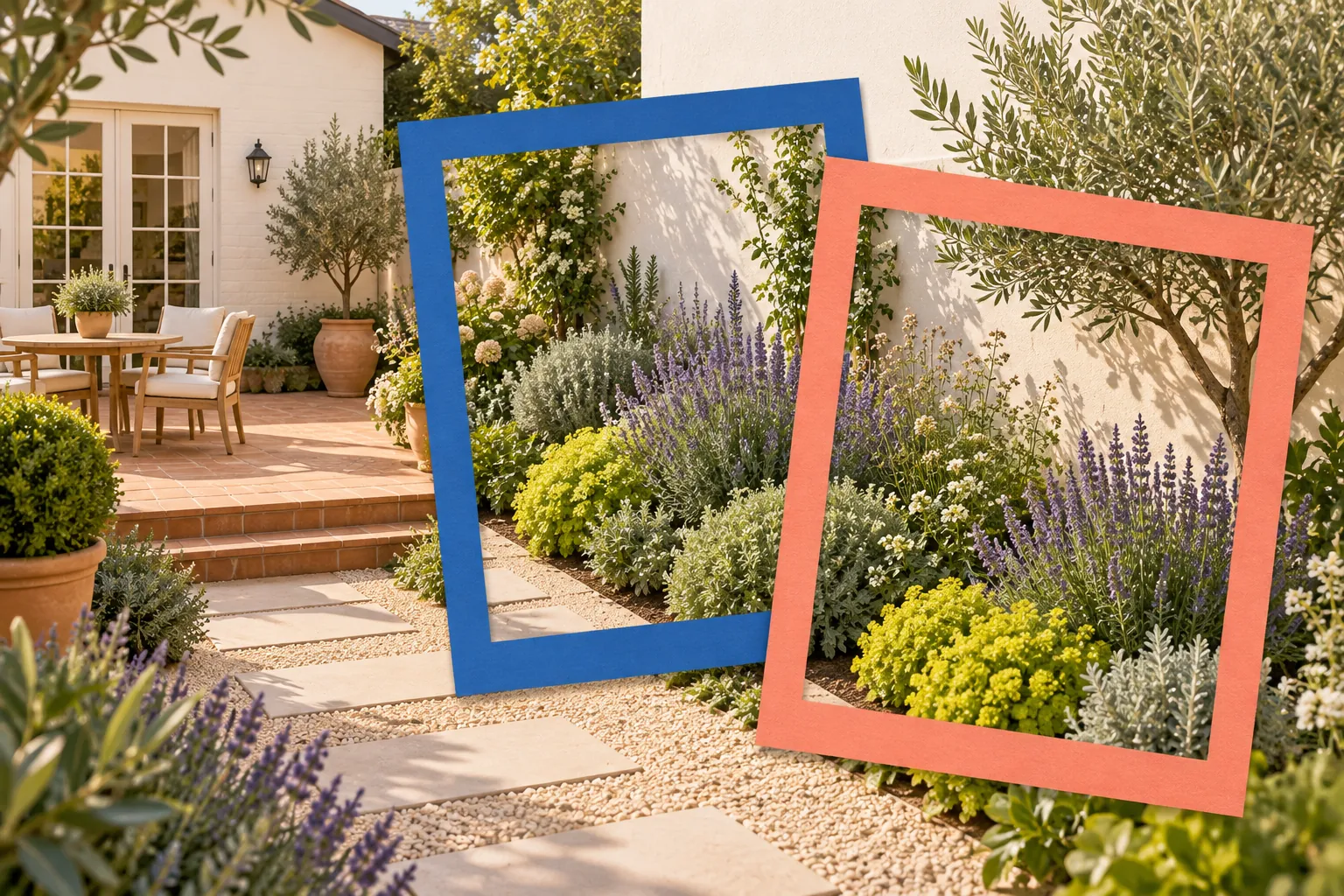
What changes between the two tools?
Gardenful publishes this guide. These are current vendor-described capabilities; the comparison does not rank image quality.
| Your decision | OutdoorBrite | Neighborbrite |
|---|---|---|
| Your decisionTry your first photo | OutdoorBritePaid access; the site says there is no free tier. | NeighborbriteA free plan with limited generations. |
| Your decisionDevelop the idea | OutdoorBriteUpload a photo and choose a style. Plus lists plant, paving and layout changes and element placement. | NeighborbritePro lists written prompts, targeted Magic Edit, adding elements and erasing unwanted features. |
| Your decisionFind plant information | OutdoorBritePlus explicitly includes regional plant suggestions and a list for each design. | NeighborbriteThe consumer site shows plant identification, names and quantities; professional software also offers plant-list tools. |
| Your decisionWork in a browser | OutdoorBriteNo installation required. | NeighborbriteNo installation required. |
Neither editing nor plant information is exclusive to one tool. Check the selected plan's allowances before subscribing.
Sources: OutdoorBrite, OutdoorBrite, Neighborbrite, Neighborbrite
Price the revisions as well as the first picture
OutdoorBrite lists Starter at $29/month with 25 monthly credits and Plus at $49/month with 100. Annual billing is $276 or $468 respectively, paid upfront. A new concept or an AI edit uses one credit. Monthly credits expire each cycle; purchased top-ups do not.2
For a single flowerbed, monthly billing may be easier to justify than a year of access. Plus is the relevant comparison if you need the listed plant and editing tools. Starter is not simply the same experience with fewer credits.
Neighborbrite offers a free start, with Pro tools behind a paid plan. Its public US App Store listing shows a $24.99 Pro purchase but does not identify the billing period. Check the offer in your account before comparing its ongoing cost.3,5
Give both tools the same small job
Try the same planting change in both apps, then compare the results and the credits you used.
Refresh the bed beside the front path
Suppose you want softer planting around an existing entrance. Keep the house, steps, path and established tree. Use one clear photo and record the bed's measurements and observed sun.
- 1
Make three concepts
Try three planting directions within the same bed: mostly foliage, loose flowers, and a simpler repeated planting. Keep the camera view and fixed features consistent. This exercise uses OutdoorBrite Plus because it includes the editing tools below.
- 2
Revise one thing at a time
For each concept, request lower planting beneath the window, then a clearer edge beside the path. Save the earlier version so you can see whether each revision helped.
- 3
Count useful outcomes
Compare each result with your original. Does the doorway stay visible? Is the path still its real width? Can you connect the suggested plants to the areas shown? Record extra attempts separately.
Choose the workflow that helps you reach a usable decision with manageable revisions. A beautiful image with a moved window still needs correcting.
Check the result before committing to it
A good comparison ends with a garden decision, not just a favorite picture.
Keep the house and access credible: Compare windows, steps, paths and boundaries against the original. Treat a vendor's preservation claim as something to check on your photo.
Use plant lists as a starting point: Check names, mature sizes and sun needs against your actual bed. Confirm suggested quantities using its measurements before shopping.
Choose the next action: Neighborbrite's free access suits an initial look. OutdoorBrite is worth considering when its paid features and allowance fit your revision plan. Keep useful results from either tool for a nursery or designer conversation.
When you want guidance with the planting
Gardenful is another option on iPhone if you want a guided route from your yard, planting preferences and site conditions to a design and suggested plant list.
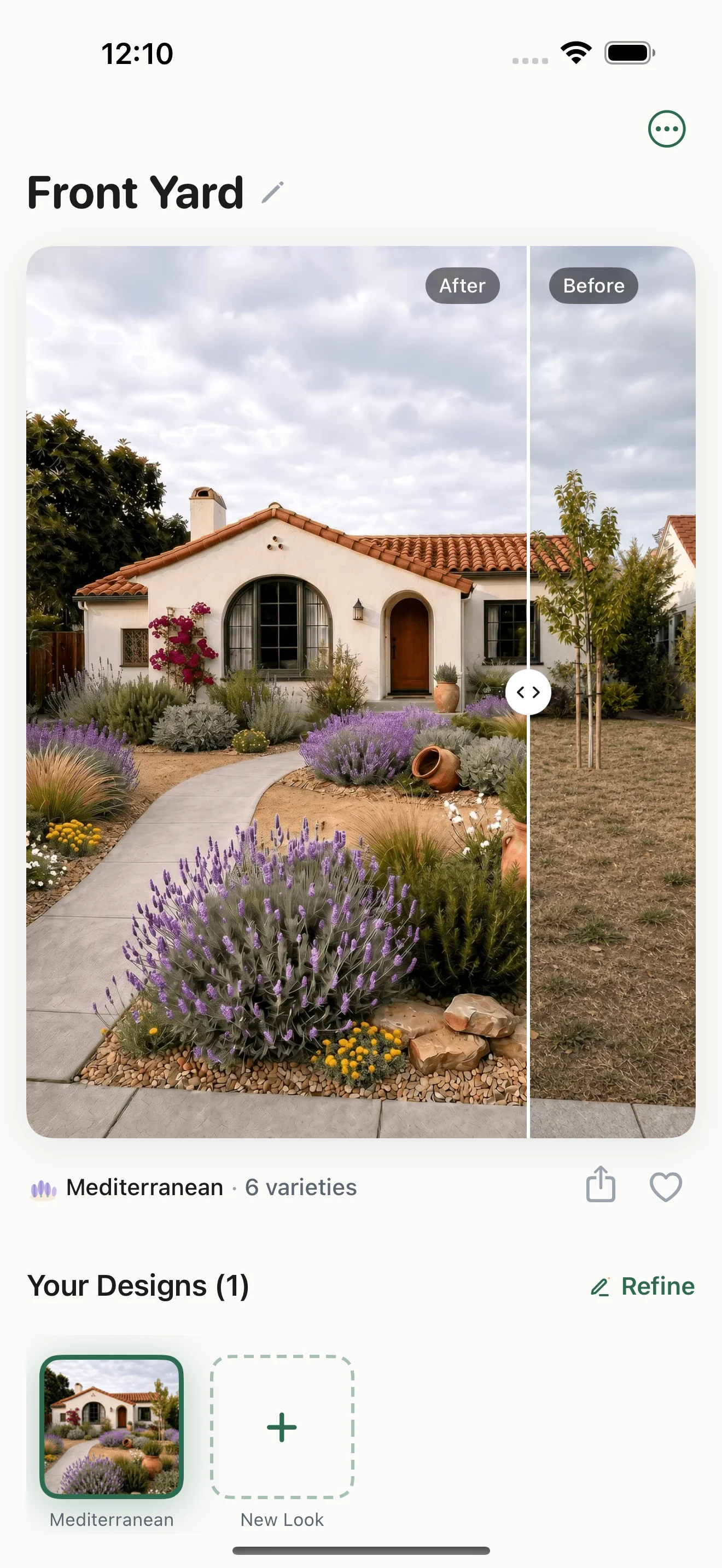
Compare the idea with your yard
This Gardenful example shows a planting concept beside the original front yard, so the homeowner can compare it with the space they already have.
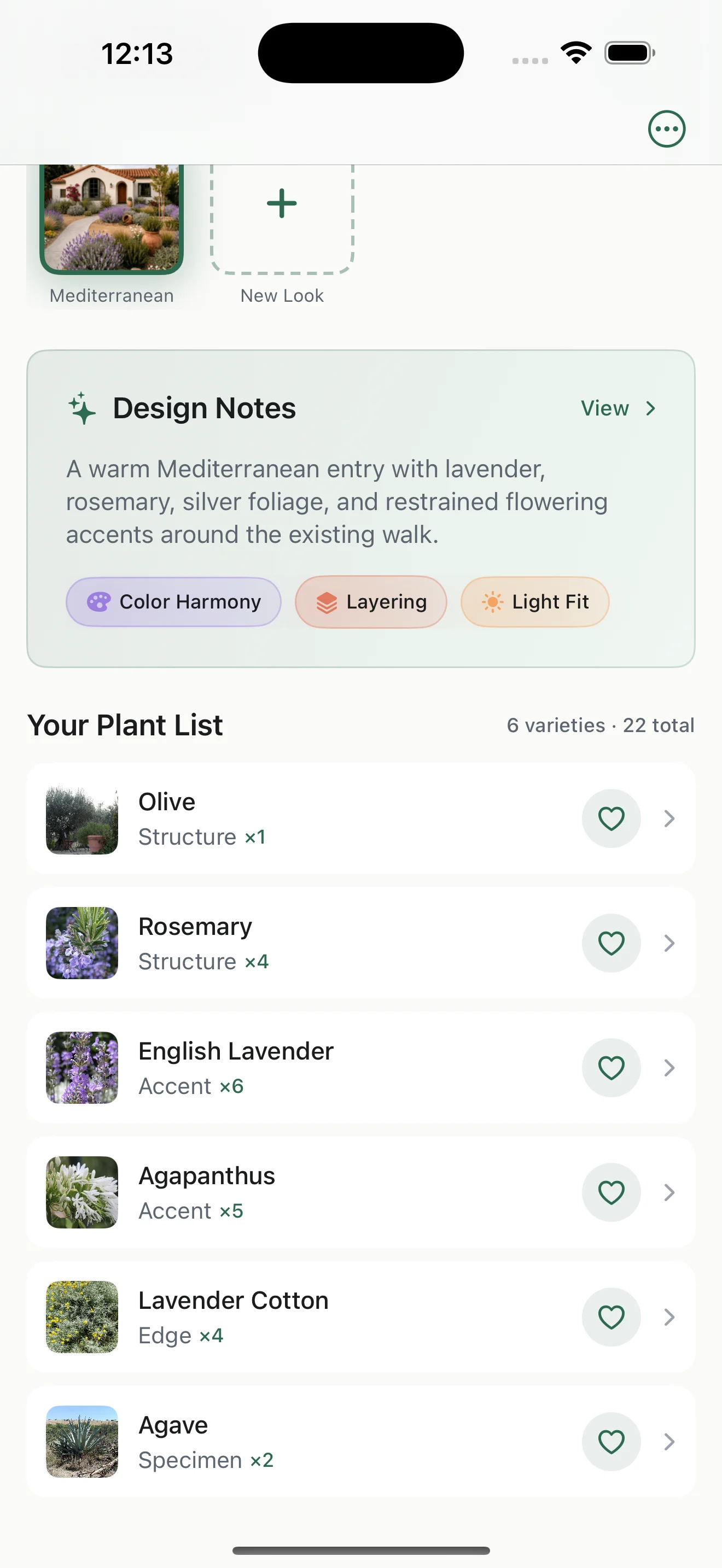
Open the matching plant list
The matching list gives plant names, roles and suggested quantities. Use it to build a nursery shortlist, then check local suitability and mature size.
Gardenful is worth trying if you want help deciding what to plant, then want to see how those choices could look at home.
Frequently asked questions
Is OutdoorBrite free like Neighborbrite?
OutdoorBrite says it has no free tier. Neighborbrite offers limited free generations. Check current paid-plan terms before using either for a larger project.
Which one keeps my house more accurately?
The official pages cannot establish a reliable winner. Compare your own photo's windows, doors, steps and boundaries after each generation and edit.
Does Neighborbrite still sell professional design packages?
Its Professional Design service is closed to new projects and package purchases. Existing customers retain support for active projects. The self-service AI tools remain a separate offering.
 Gardenful
See a planting idea in your own yard
Bring a photo of the bed you want to change. Gardenful helps you picture new planting around your home, with suggested plants and quantities to get you started. Free to try on iPhone.
Gardenful for iPhone
Download the app free and start with a photo of your yard.

How this comparison was researched
Vendor pages and public listings checked October 3, 2026.
We compared free access, editing tools, plant information and credit costs using the official sources below.
Sources(8)
- [1]
- [2]
- [3]
- [4]
- [5]Neighborbrite App Store listing
Neighborbrite on Apple App Storehttps://apps.apple.com/us/app/neighborbrite-landscape-design/id6742585344
- [6]
- [7]Landscape Planning
University of Maryland Extensionhttps://www.extension.umd.edu/resource/landscape-planning
- [8]