Existing-yard redesign
How to redesign your yard from a photo
The short answer
A yard photo can help you compare a redesign, but it is not a measured plan. Photograph the view you want to improve, mark what stays, choose one clearly marked area, compare a planting idea, then check dimensions, light, drainage, utilities, the plants' full size, and local fit before you buy or build.
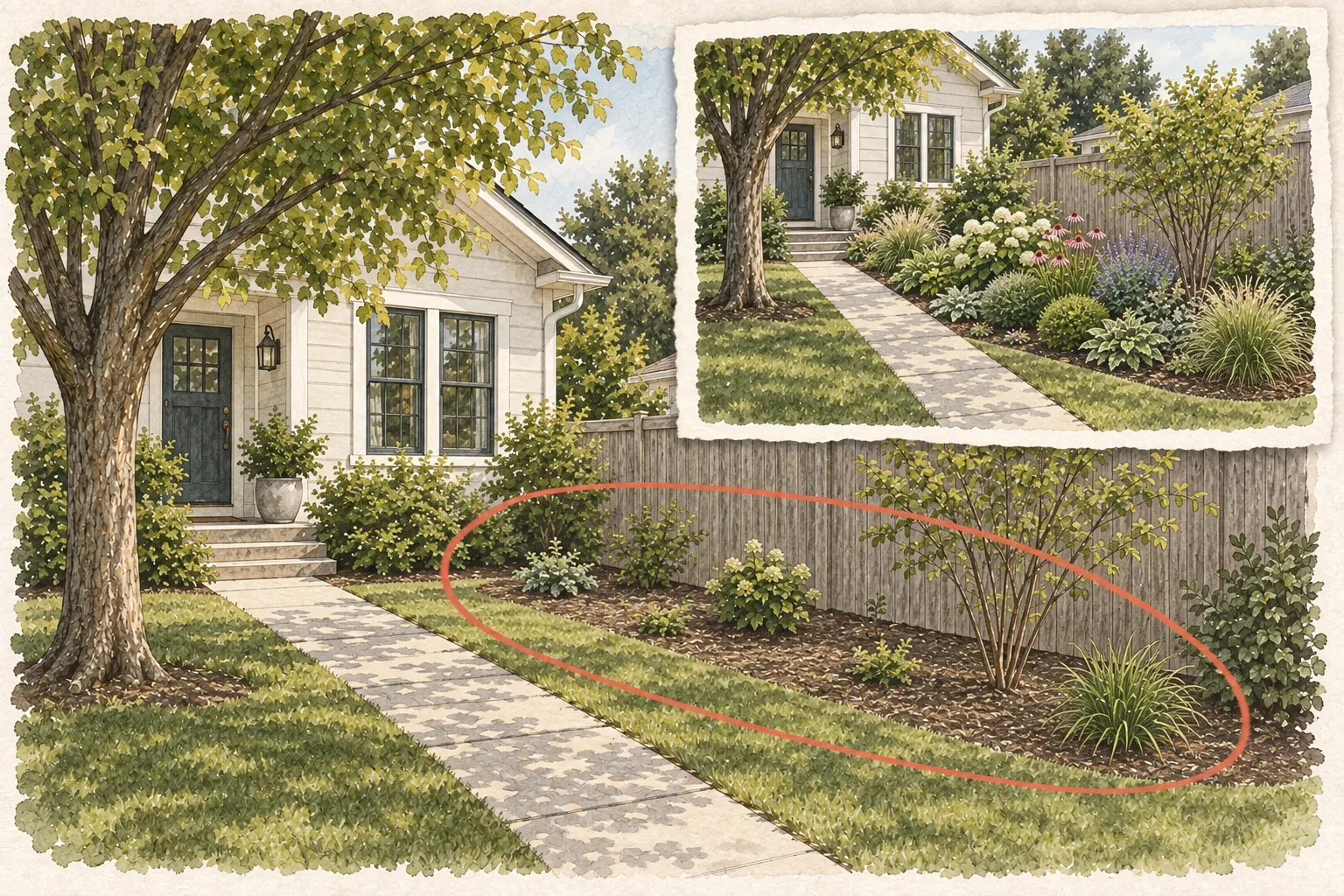
Start with the yard you already have
Before you imagine new planting, list the house, paths, trees, fence, utilities, and anything else that should stay in place.
A redesign starts with an existing place, not a blank canvas. The house, slope, walk, mature tree, fence, utility cover, and patio may already make the yard work. If you erase them from the picture, you can create a prettier image that makes the space harder to use.
Take one broad photo from the place where you judge the yard most often. Include the full area, then take a closer view of the part that feels tired or unfinished. Name the problem plainly: a scattered bed, a weak entry, an exposed fence, or too much lawn. Use the same camera angle when you compare ideas.1,3
Write the job in one sentence: "Make the entry feel more finished without moving the walk." That gives the redesign something to solve. "Redesign the yard" is too broad to tell you what stays, what changes, or when the work is finished.
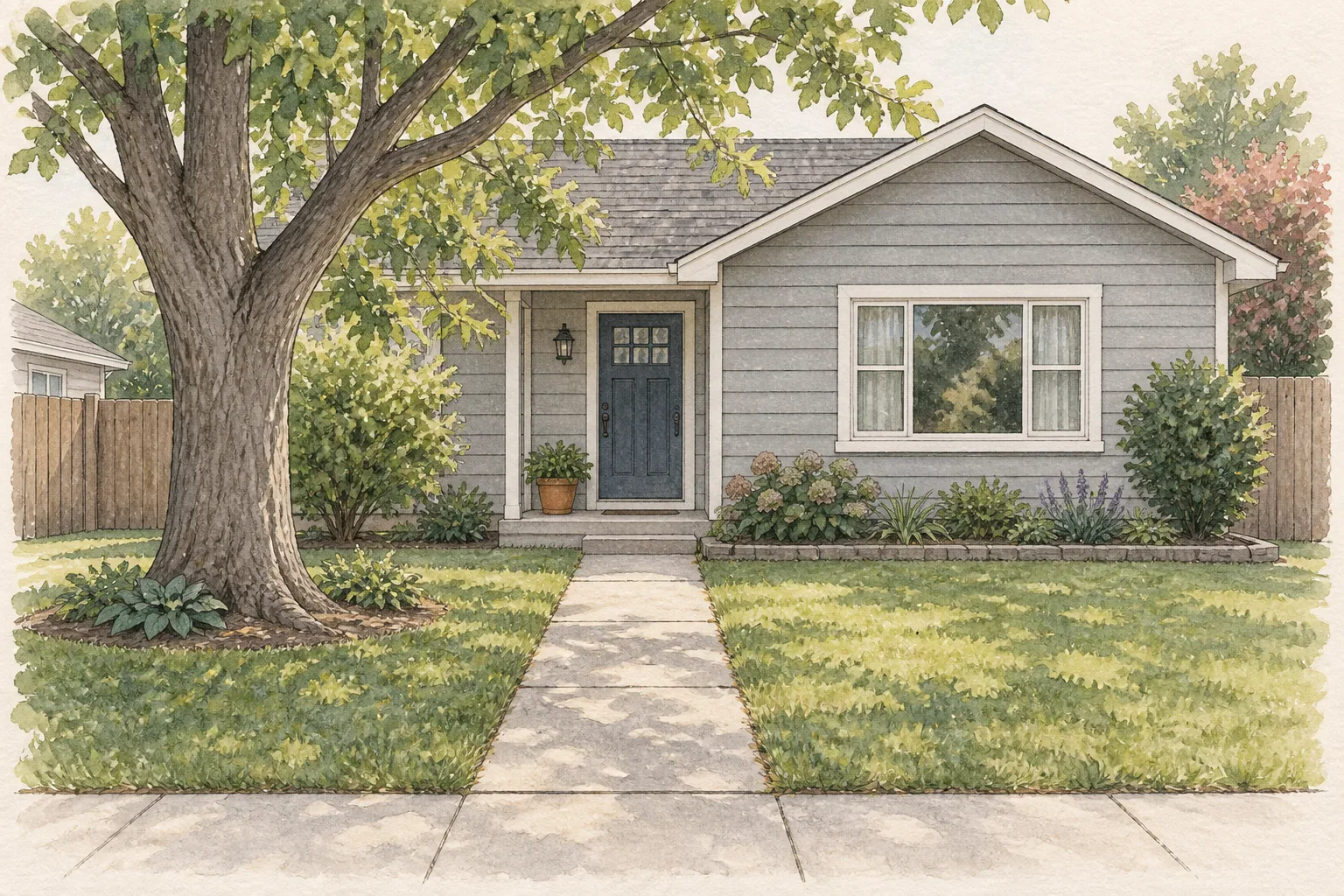
Mark what stays before you choose what changes
A photo-based redesign works best when you keep the place recognizable. Mark the structure, routes, and one area you are ready to change.
- 1
Things to leave in place
Look for the things your planting will have to fit around: a mature tree, fence or retaining wall, driveway, patio, steps, utility cover, or healthy existing shrub you want to keep. Mark their edges in the photo so the new bed supports the space instead of fighting it.
- 2
Paths and access
Trace the routes to the door, gate, bins, hose, and parking. Keep enough room for people, carts, and maintenance. A planting bed has missed its job if it narrows the path.
- 3
One area to change
Circle one area with a clear purpose: refresh a bed, soften a fence, frame an entrance, or replace a patch of lawn. Save a whole-yard makeover for a later phase.
Sources: University of Florida IFAS Extension, University of Florida IFAS Extension
Choose one job for the first redesign
Your first redesign is easier to judge when it solves one problem. Pick the job that matters most in this view, then leave the other ideas for a later phase.
Refresh a planting area
Keep the hardscape and improve the planting rhythm.
Use this when the bed shape and route already work but the plants feel scattered, bare, or overgrown.
Make the entrance easier to read
Let the walk and door lead the composition.
Use low structure and repeated masses to frame the approach without hiding steps, windows, or service access.
Soften a boundary
Use the fence or wall as a backdrop.
Add layered planting only where mature width, light, and maintenance access support it.
Choose one job for the first visual. Combining a bed refresh, a new route, privacy screening, and lawn removal at once makes it harder to tell which change solved the original problem.
Sources: University of Florida IFAS Extension, University of Florida IFAS Extension
Worked example: redesign one entry bed
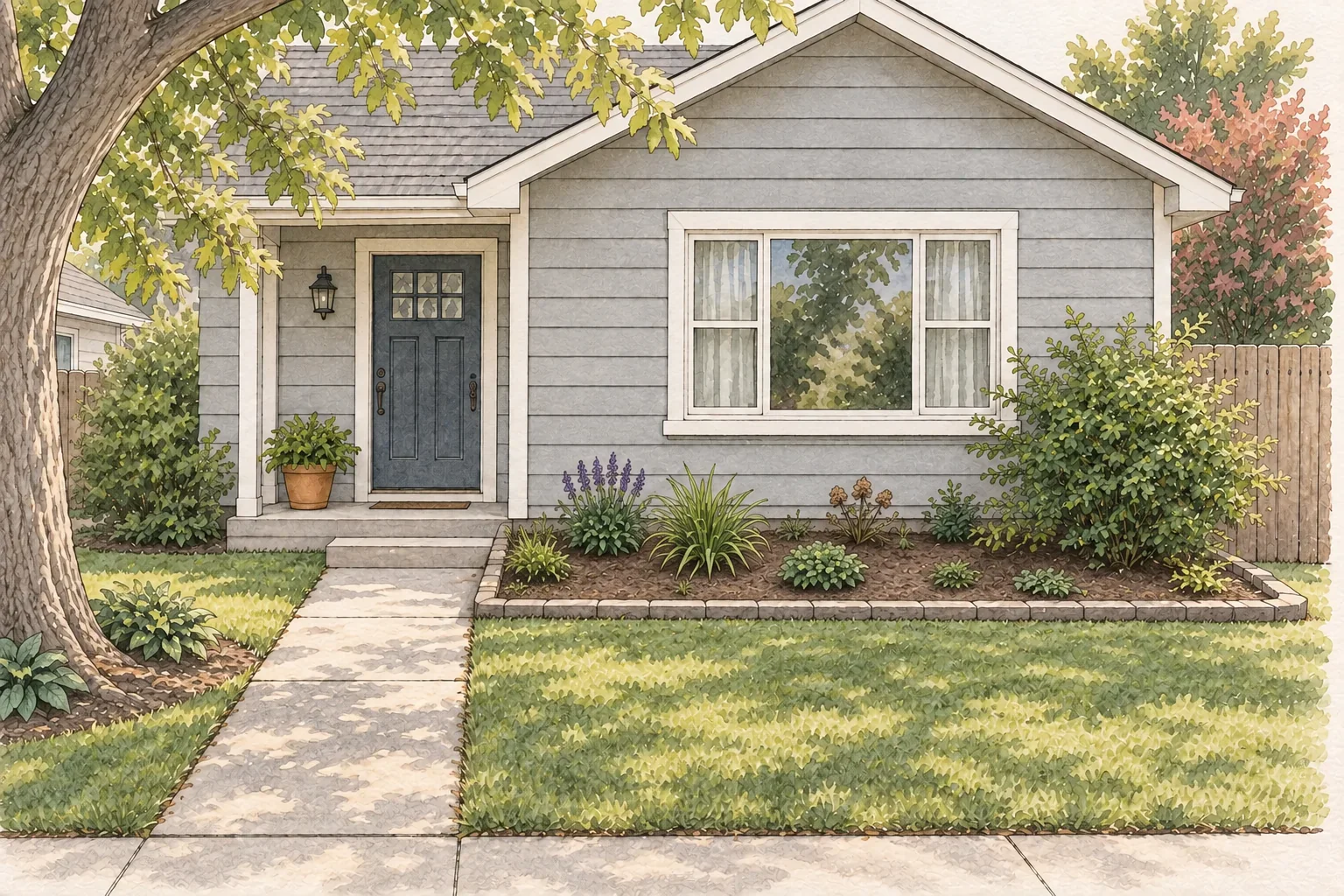
The redesign below keeps the house and walk in place while changing the bed shape, planting rhythm, and visual direction.
From scattered planting to a calmer, layered bed
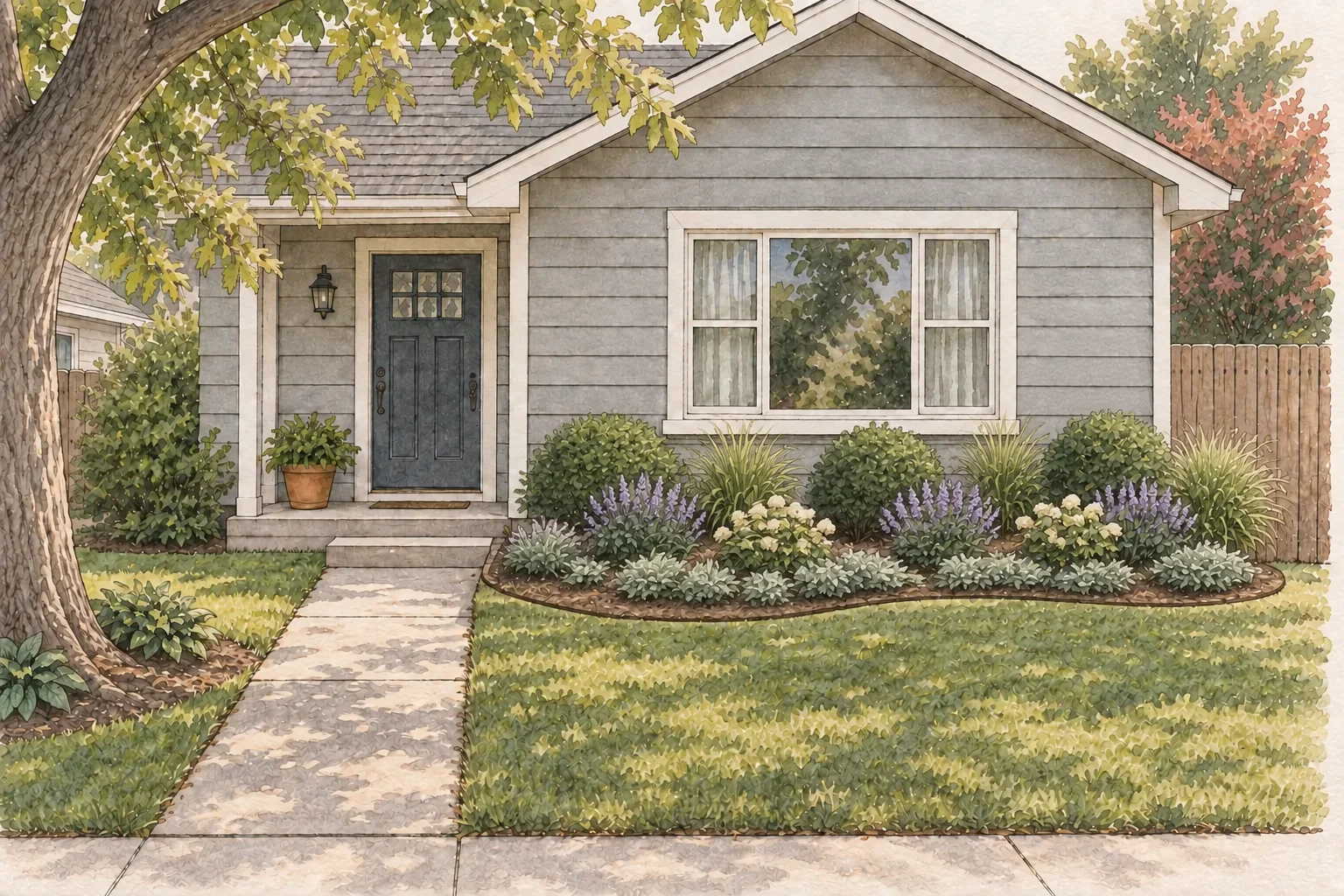
Imagine an entry bed about 18 feet long and 6 feet deep at its widest point. The steps and walk stay where they are. The redesign changes the bed edge and the planting pattern: first define the area, then choose a style direction, then repeat a few plant forms at mature spacing. Measure your own bed before buying.
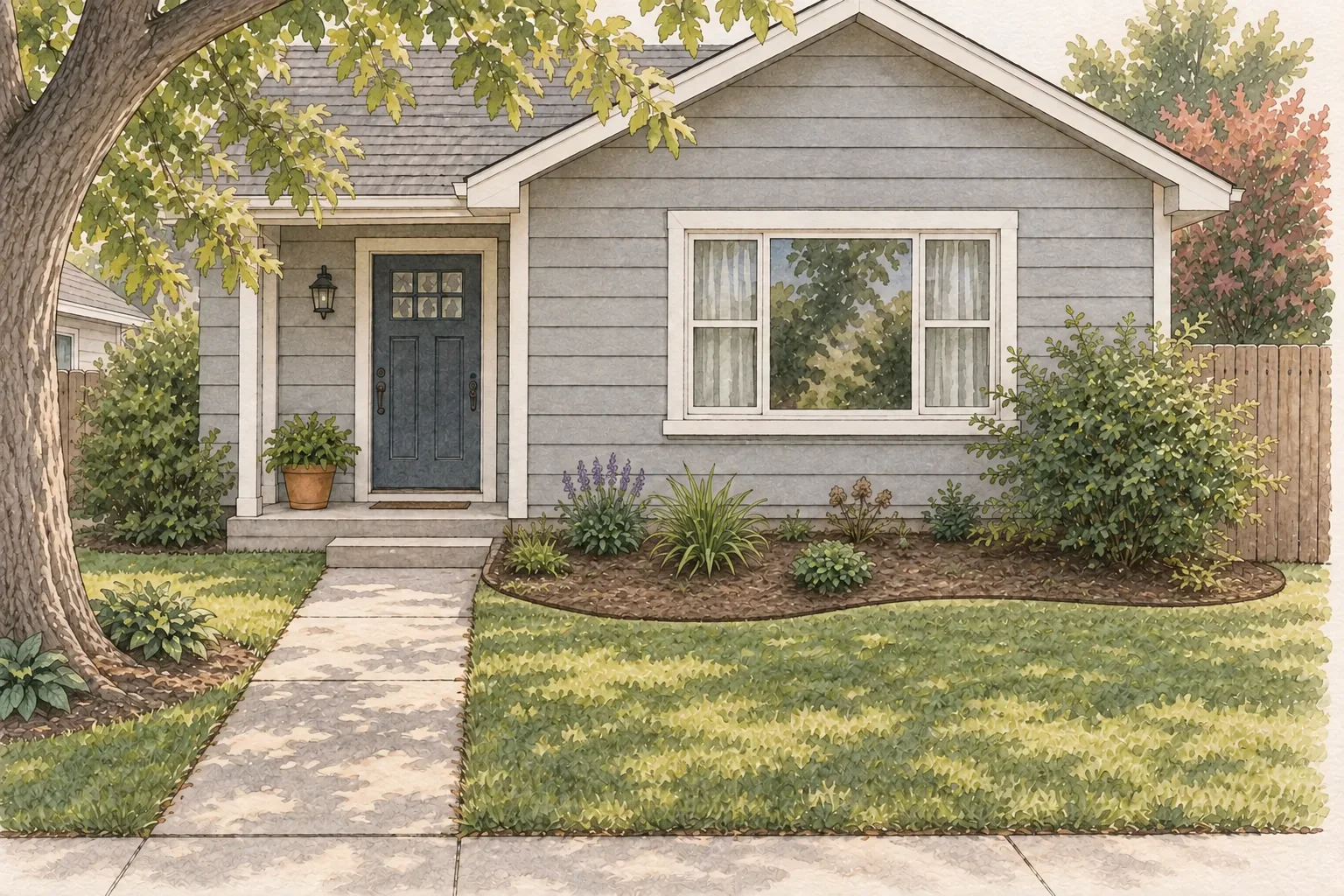
1
Keep the house and walk
Leave the front steps, walk, windows, fence, and mature tree visible. The redesign changes the bed, not the way people reach the door.
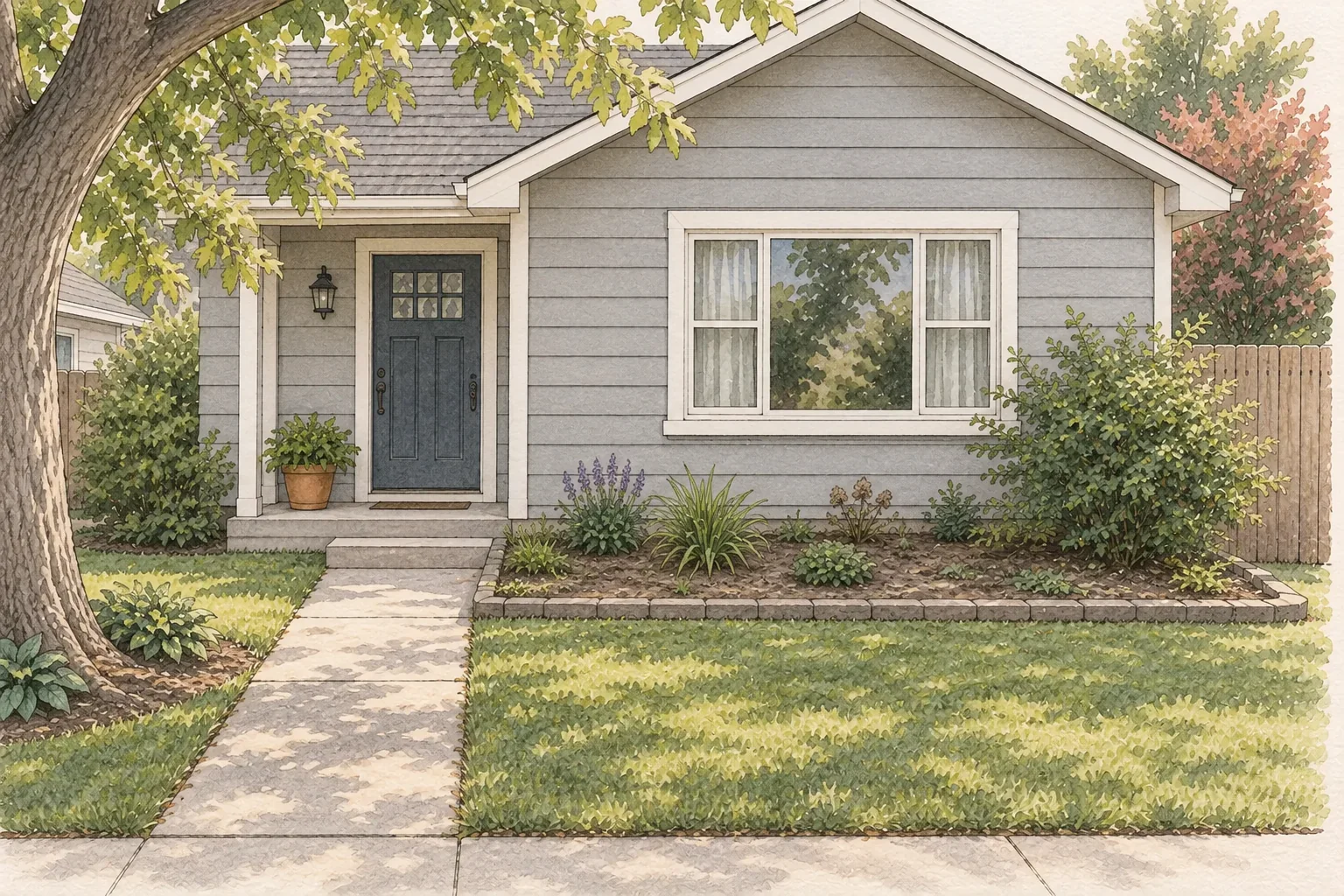
2
Draw one bed shape
Replace scattered pockets with one connected bed. In this example, the bed is about 18 feet long and 6 feet deep at its widest; confirm your own boundary with measurements.
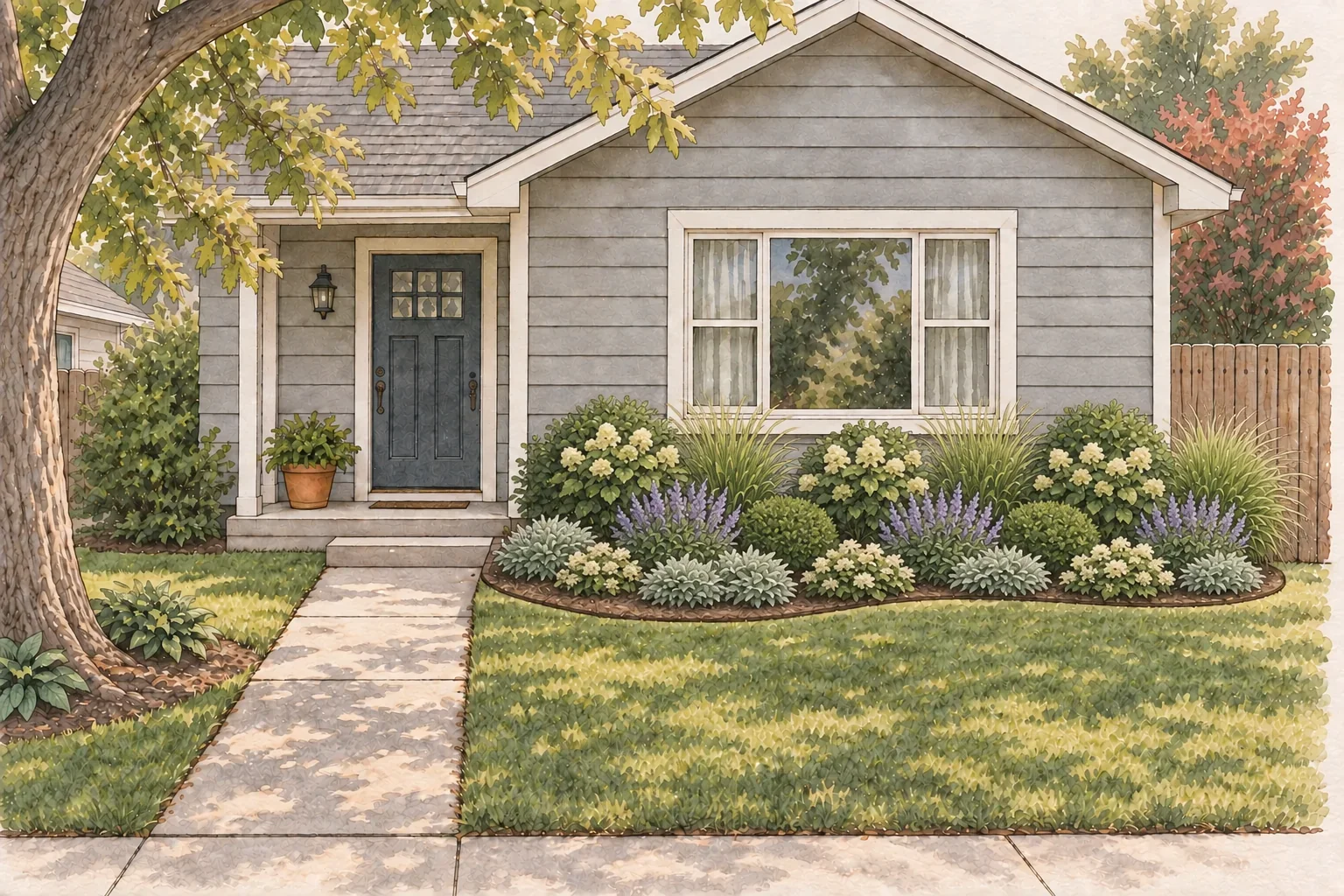
3
Choose one style direction
Pick one visual pattern before choosing individual plants, such as relaxed and layered or structured and repeatable. Here, repeated rounded and upright forms make the entry feel calmer.
4
Repeat the rhythm, then stop
Repeat a few forms at mature spacing, keep the front edge low, and leave breathing room by the steps. A redesign is working when the bed reads as one idea and the route stays easy to use.
The visual shows a direction, not a plant list. Filter the roles through sun, soil, water, mature size, pets, and local guidance before buying.
Check the real yard before you buy
The photo gives you the visual idea. Three quick checks decide whether it can work in the real yard.
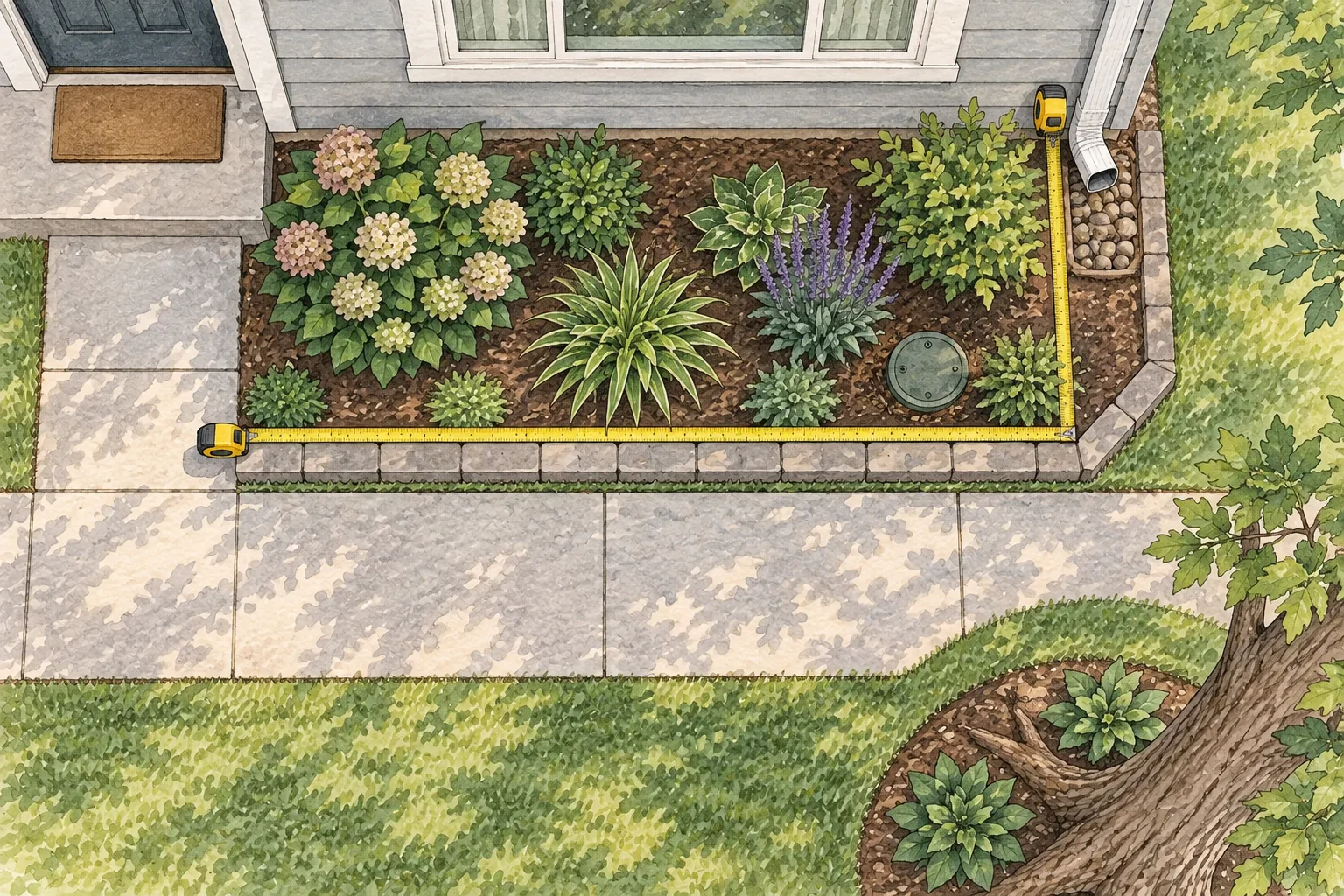
1
Measure the bed and access points
Locate utilities, irrigation, downspouts, vents, roots, covers, steps, and property edges. Measure plantable space instead of estimating from perspective.
2
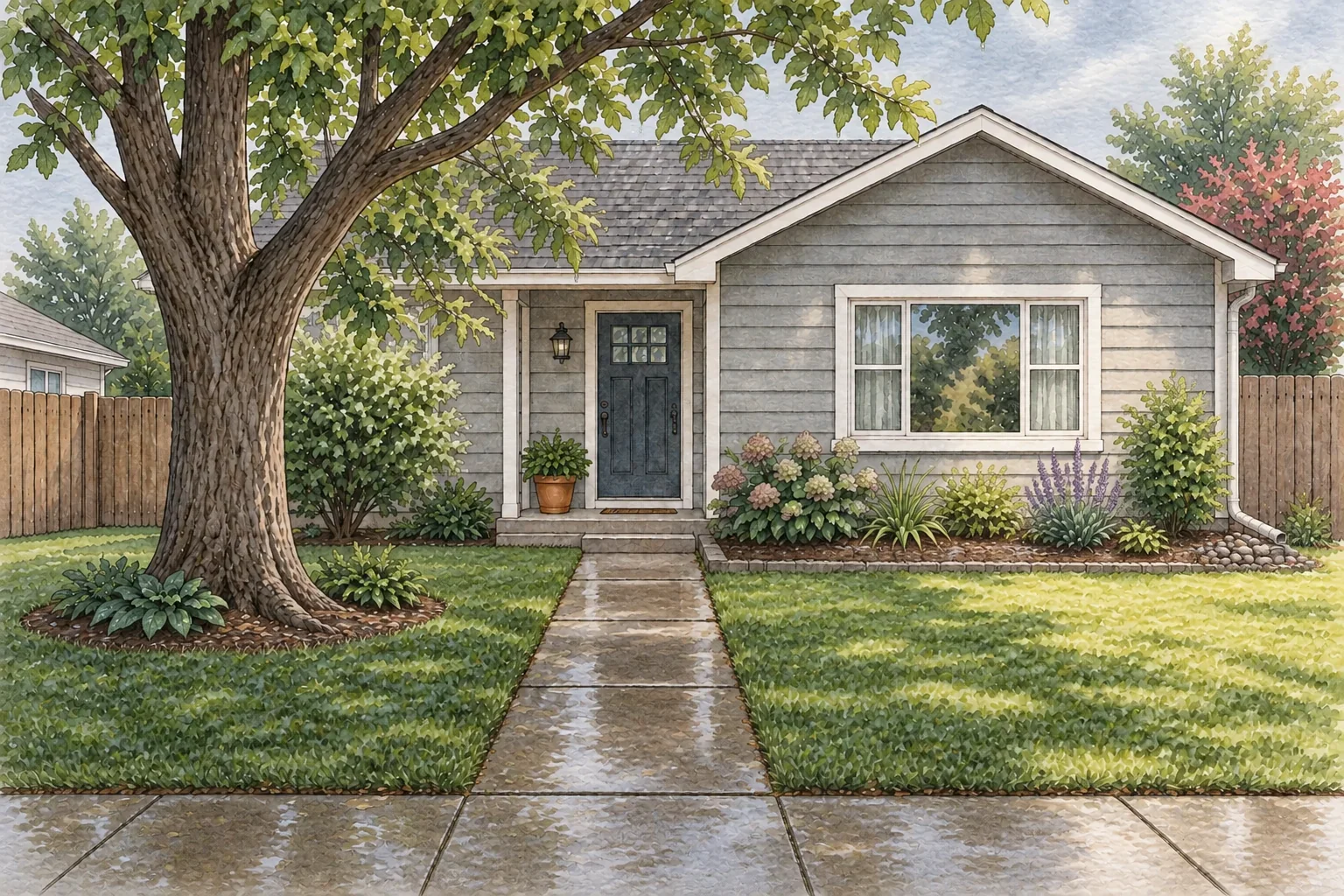
Watch light and water
Check the area morning, midday, and late afternoon; note wet or dry spots after meaningful rain and group plants with similar water needs.
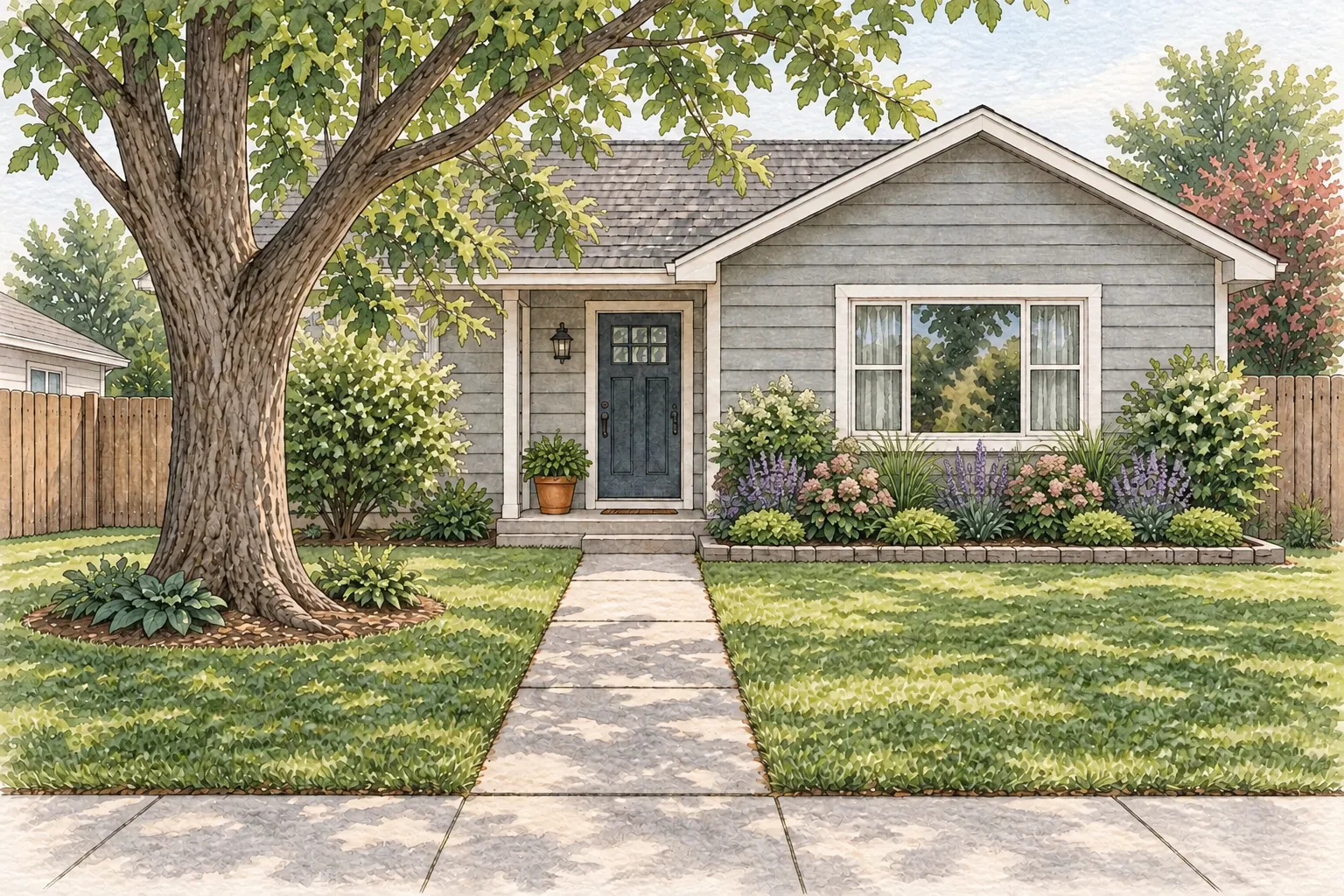
3
Check plant fit at maturity
Confirm full size, local plant status, pets, fire guidance, and substitutions before buying. The photo can show a direction, not whether a plant belongs there.
Use the photo to choose the direction. Use the real yard to decide what belongs there.
Use Gardenful to test the planting idea
Once you have a clear area to change and a few site notes, Gardenful can show a planting idea on the yard photo. Select the area, review the result, and use the design notes and plant list as a starting brief for the checks that remain.
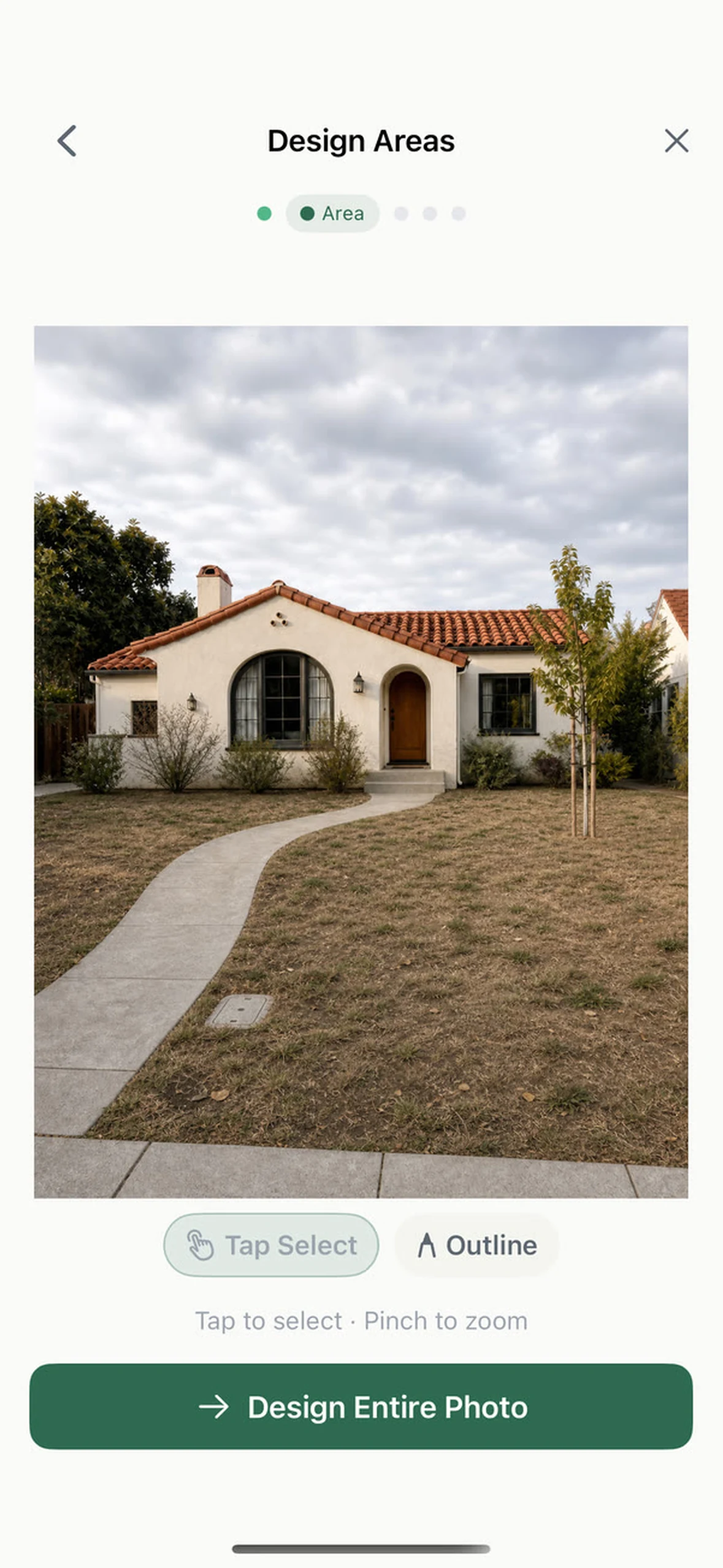
Select the area you want to redesign
Choose the bed or patch in the photo. Limiting the area tells Gardenful what should change while keeping the rest of the yard recognizable.
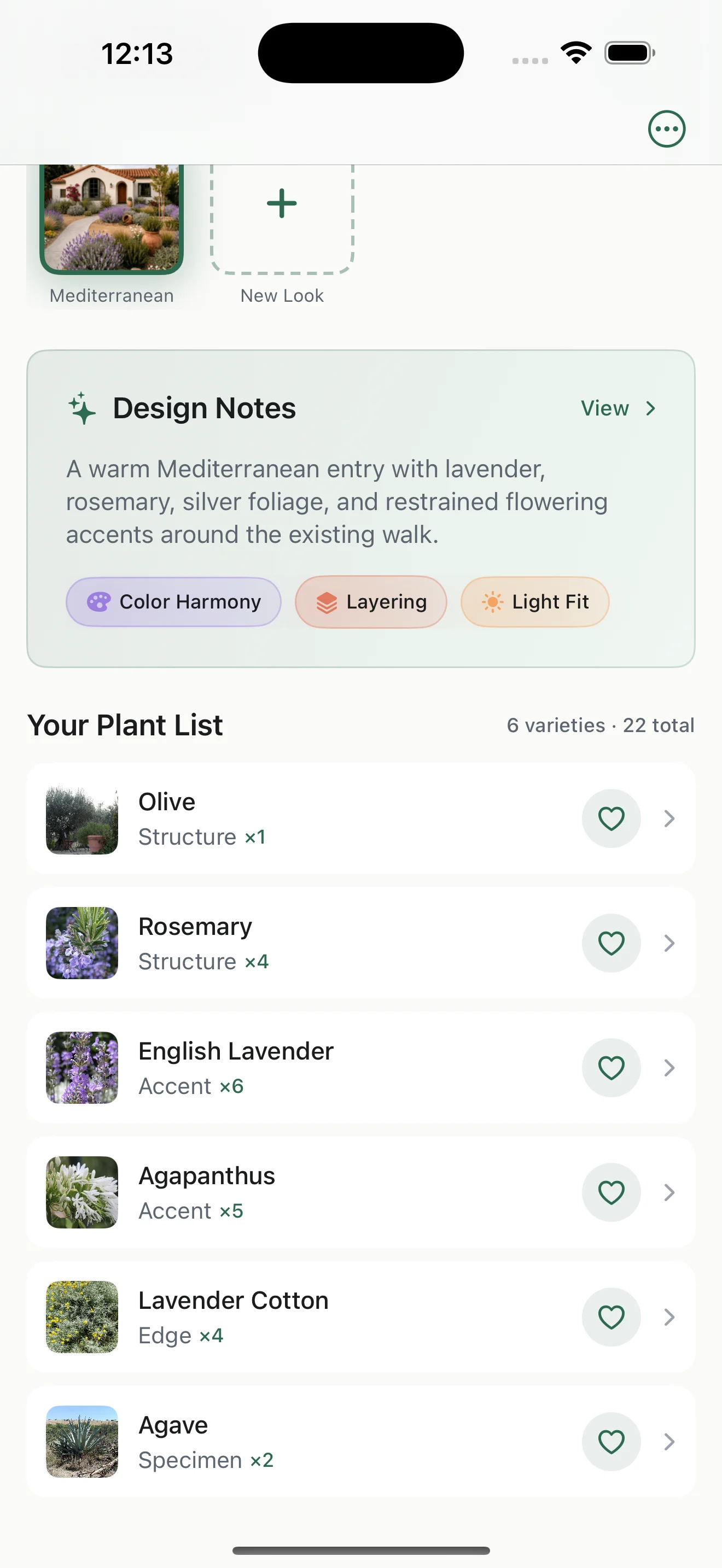
Use the plant list for your nursery visit
Review the design notes, plant roles, suggested quantities, and plant photos as a starting brief. Verify full size, local fit, and substitutions before buying.
Gardenful helps you compare a planting idea. It does not measure the yard or replace local decisions about drainage, utilities, construction, or plant fit.
Frequently asked questions
Can I redesign my yard from one photo?
Yes. One well-framed photo can help you choose a planting idea and see how the change relates to the house, walk, and yard. It cannot establish dimensions, drainage, utilities, year-round light, a plant's full size, or local plant fit, so use it as a visual starting point and verify the real site.
What should I keep when redesigning from a photo?
Keep the mature trees, fences or retaining walls, driveway, patio, steps, utility covers, healthy existing plants, service access, and routes people use. Mark the boundaries of the area that can change so the new planting has a clear job.
How do I choose what to change first?
Choose the smallest area that solves the clearest problem, such as a scattered entry bed, an exposed fence, or a bare patch beside the walk. A focused first project is easier to compare, measure, and finish than an undefined whole-yard makeover.
Can AI redesign my yard from a photo?
Gardenful can help you explore a planting idea from a yard photo and a selected area. Treat the result as a visual starting point with plant suggestions and notes, then verify the site and local plant fit before buying or building.
Is a photo-based redesign a landscape plan?
No. A photo-based redesign is a visual starting point, not a measured construction or planting plan. Use a base map and local guidance for dimensions, drainage, utilities, grading, permits, and work that needs a qualified professional.
 Gardenful
Start with the part of the yard you can name.
Keep what already works in frame, choose one change area, and use Gardenful to compare a planting idea before you buy.
Gardenful for iPhone
Download the app free and start with a photo of your yard.

Sources
These sources support the planning and verification sequence. They do not replace measurements, local plant guidance, or professional advice for construction, grading, drainage, and utilities.
- [1]Landscape Design: Ten Important Things to Consider
University of Florida IFAS Extensionhttps://ask.ifas.ufl.edu/publication/EP375
- [2]Drawing a Landscape Plan: The Base Map
University of Florida IFAS Extensionhttps://ask.ifas.ufl.edu/publication/EP456
- [3]Landscape Design: Site Analysis and Measurements
University of Florida IFAS Extensionhttps://ask.ifas.ufl.edu/publication/EP427
- [4]Right Plant, Right Place
University of Florida IFAS Extensionhttps://ask.ifas.ufl.edu/publication/EP416
- [5]Watering Tips
US EPA WaterSensehttps://www.epa.gov/watersense/watering-tips