AI garden design guide
Can Gemini design your garden from a photo?
The short answer
Yes. Gemini can edit your garden photo and borrow planting ideas from reference images. Make your yard the base image, then describe the look you want and what must stay. Keep changes to planting separate from changes to the house, paths, and boundaries.
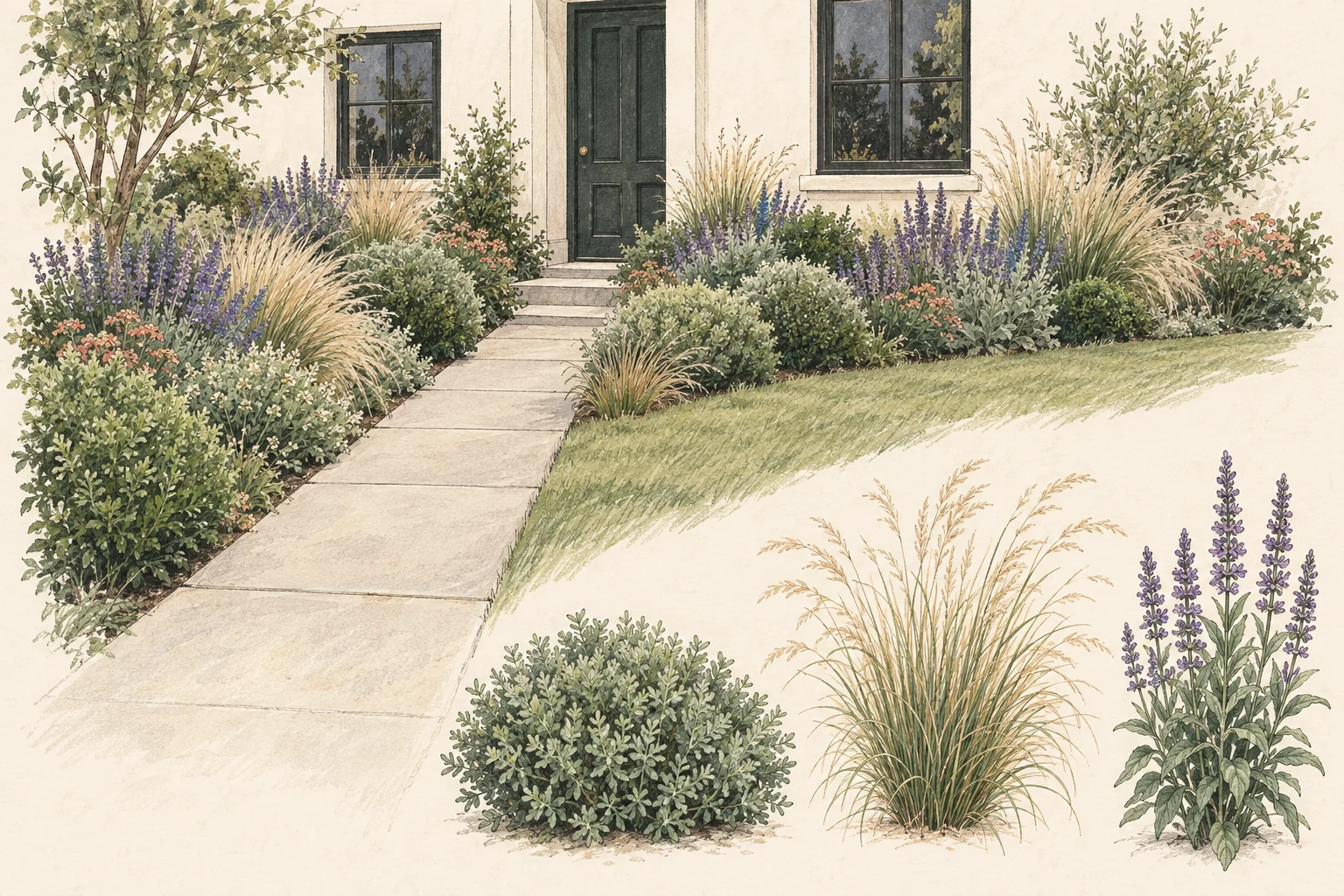
Give each photo a clear job
Use your yard photo for the layout and your inspiration photo for the planting.
Open Gemini, attach a clear yard photo, then add a reference if you have one. You can copy the example prompt below and change the planting details to suit your taste.
Gemini supports editing an uploaded image and making a new image from multiple uploads. Its image tools use the Nano Banana family; reference-image support varies by the selected model. Check the model in your account before starting a multi-photo request.1
Call your yard “image 1” and the inspiration “image 2.” Ask for the planting texture or color you like from image 2, while keeping the buildings, bed edges and camera view from image 1. Otherwise a lovely reference can pull the concept toward a garden you do not own.
Write a brief Gemini can follow
Give the scene, the change, and the limits in that order. Add site facts yourself rather than asking the photo to supply them.
- 1
Anchor the original yard
Identify the base photo and the part of the garden you want to change.
For example: Edit image 1. Redesign only the bed between the front path and the house.
- 2
Describe the planting you like
Name the quality you want from the reference, rather than copying its entire setting.
For example: Use the soft grasses and loose groups of flowers in image 2. Keep the palette mostly green, white and purple.
- 3
Keep the fixed features
List the things a redesign must work around.
For example: Keep the house, windows, steps, path width, existing tree and camera angle. Leave the front door fully visible.
Try it on a bed beside the front path
Suppose the house and path already work, but the narrow bed between them looks bare.
In this example, the bed is sunny near the sidewalk and shaded by the porch at the other end. That difference matters more than a style label. Add your town, observed sun hours and watering limits to the prompt below.
“Edit my yard photo in place. Add soft, layered planting only inside the existing bed. Keep the porch, windows, steps, lawn edge and path exactly where they are. Use my second image for foliage texture and flower colors only. Keep lower plants beside the path and below the windows. Show a realistic daytime concept from the original viewpoint. Do not add a new patio, fence or building.”
If Gemini borrows the reference house or widens the path, return to the original photo and restate which image controls the layout. Resolve that before spending more attempts on flower colors.
Check what changed before choosing plants
A convincing picture can still contain a change you never requested. Compare the result directly with the original.
House and paths
Useful change: New planting fits the existing edges.
Reason to revise: A window moves, the path widens, or steps disappear.
Reference details
Useful change: The foliage texture or color you requested appears.
Reason to revise: The reference garden replaces the shape of your yard.
Planting space
Useful change: The idea leaves doors and walking routes usable.
Reason to revise: Plant masses hide access or depend on space you do not have.
Gemini or Gardenful for your garden?
Gardenful publishes this guide. Gemini is a good fit if you enjoy developing an idea through prompts and reference photos. Choose Gardenful if you want help deciding what to plant and seeing how it could look in your own yard.
Direct the picture
Gemini: Write and revise the brief; use reference images where supported.
Gardenful: Mark the area you want to improve, then answer questions about your taste and yard.
See a realistic garden
Gemini: Request a photo edit and check the result against the original.
Gardenful: See realistic planting in your own yard, shaped around the area and features you want to keep.
Choose the plants
Gemini: Ask for a separate shortlist and check whether it matches the image.
Gardenful: Get plant names and suggested quantities with the design, so you know what to ask for at the nursery.
See the design and the plants together
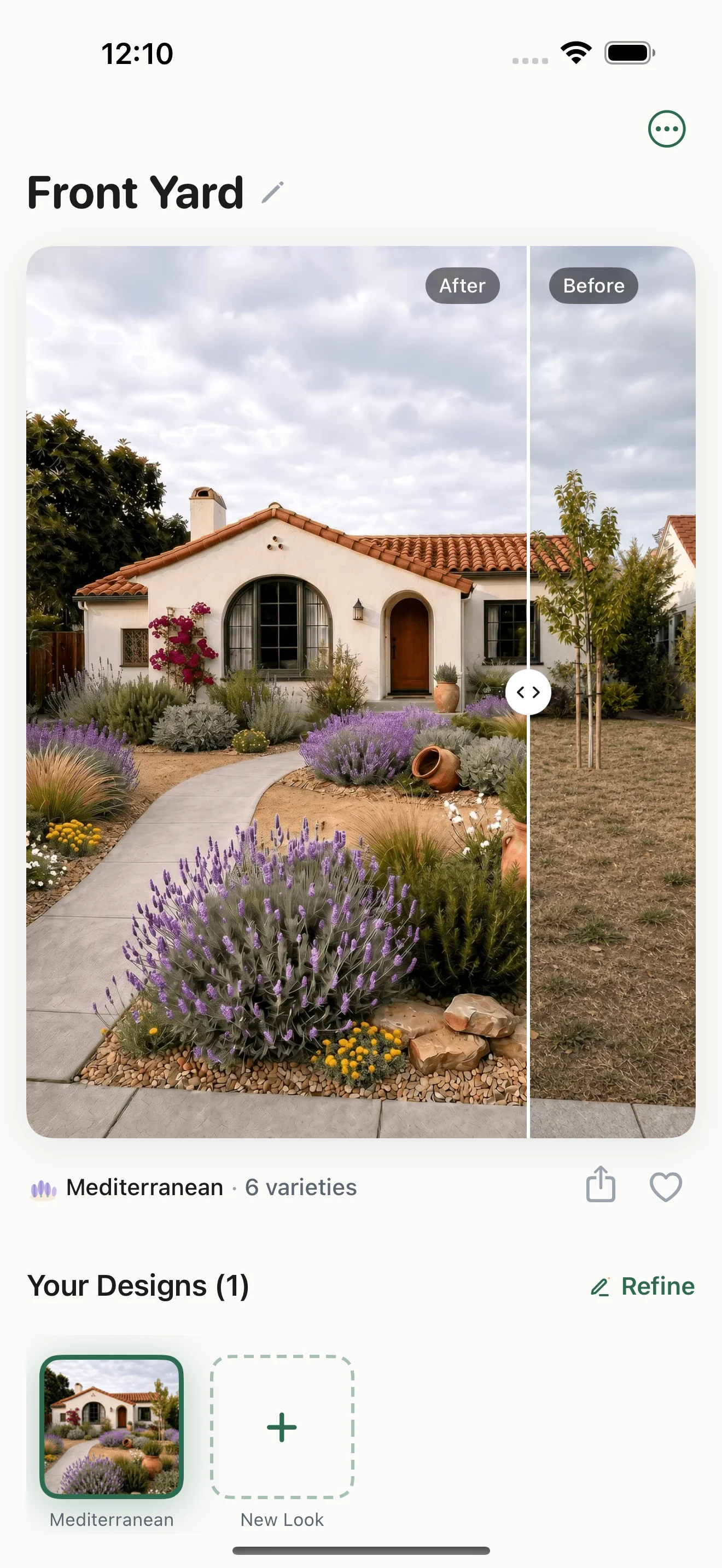
Here is a Gardenful front-yard design and its plant list. The picture helps you decide on a look; the list gives you plant names and suggested quantities to discuss at a nursery.
Picture the change at your own house
See how the new planting changes the entrance while keeping the original yard beside it for comparison.
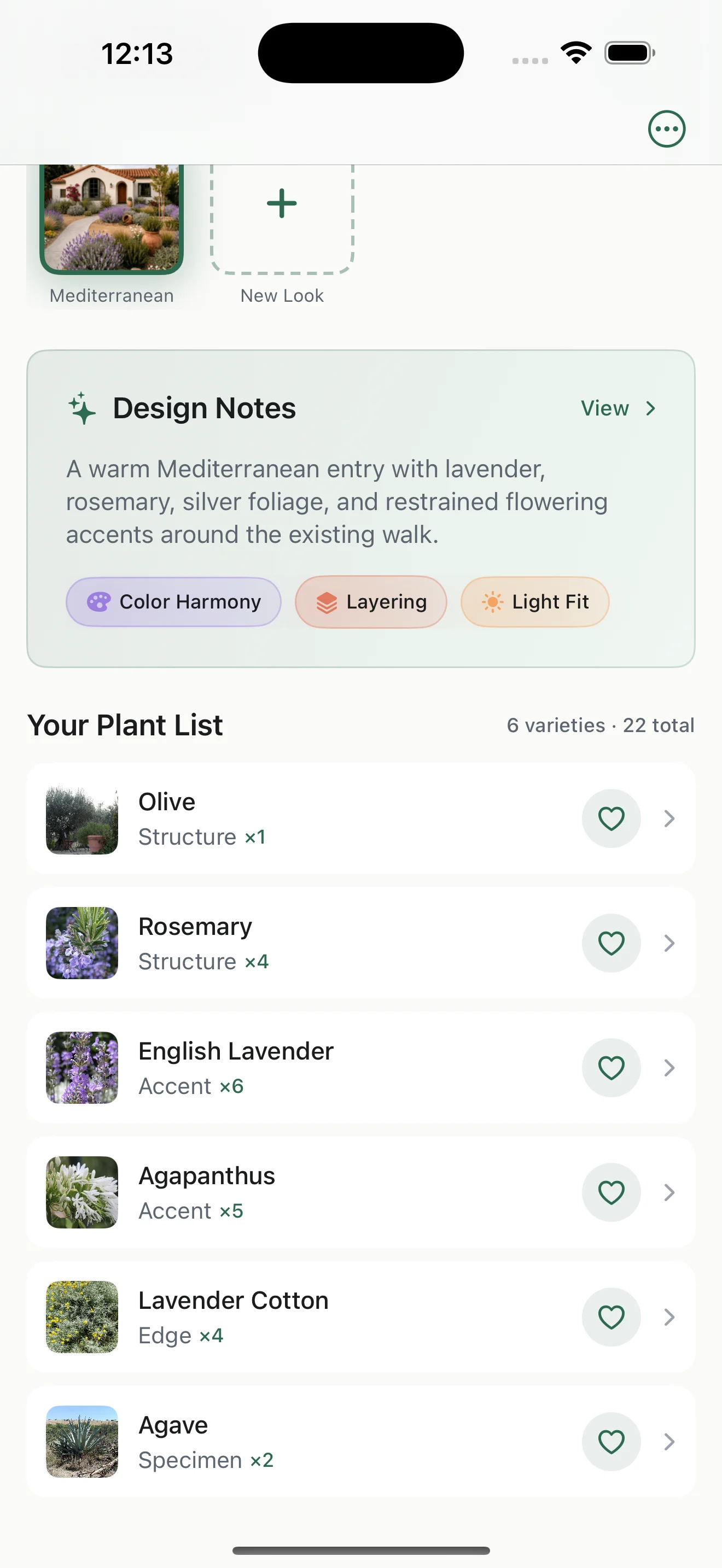
Open the suggested plant list
This design comes with six plant varieties, their roles and suggested quantities. Check their mature sizes and growing needs for your own bed before buying.
Compare the idea with your original photo, then use the plant list to plan your nursery visit.
Turn the image into a planting decision
Choose one part of the concept you want to investigate first.
Match potential plants to the actual light, soil, moisture and mature space in that bed. A picture cannot establish those facts. Keep a plant whose size and conditions fit, even if it is a quieter choice than the one in the render.2
Take your original photo, preferred concept and a measured sketch to a local nursery. Ask about suitable plants for each role, rather than expecting someone to identify every generated leaf.
Frequently asked questions
Is Nano Banana different from Gemini for garden design?
Nano Banana is the image-model family used inside Gemini. The garden task stays the same: supply the base photo, describe the planting change and verify what the image changed. Model and account choices affect the available image controls.
Can Gemini keep my house unchanged?
Ask Gemini to keep the house and change only the planting. Compare the result with your original photo, because it can still change details you asked it to keep.
Should I use Gemini or Gardenful?
Use Gemini if you enjoy working through ideas with prompts and reference images. Try Gardenful on iPhone if you want help choosing the planting as well as picturing it. You can start with your yard photo and the look you like; Gardenful recommends plants and suggested quantities with the design.
 Gardenful
See the planting you like in your own yard.
Add your yard photo and tell Gardenful what you like. You don't need to know which plants to choose: see a realistic design for your space, with plant names and suggested quantities to help you get started.
Gardenful for iPhone
Download the app free and start with a photo of your yard.

Sources(2)
Official feature documentation and planting guidance.
- [1]
- [2]Right Plant, Right Place: Plant Selection and Siting
University of Florida IFAS Extensionhttps://ask.ifas.ufl.edu/publication/EP416