AI garden design guide
Can Meta AI help you design your garden?
The short answer
Yes. Meta AI can create garden images and work from photos you upload. It is useful for making an idea easier to discuss: a greener patio edge, softer planting or a place to sit. Keep your own yard in the picture so the style you choose still fits the space you have.
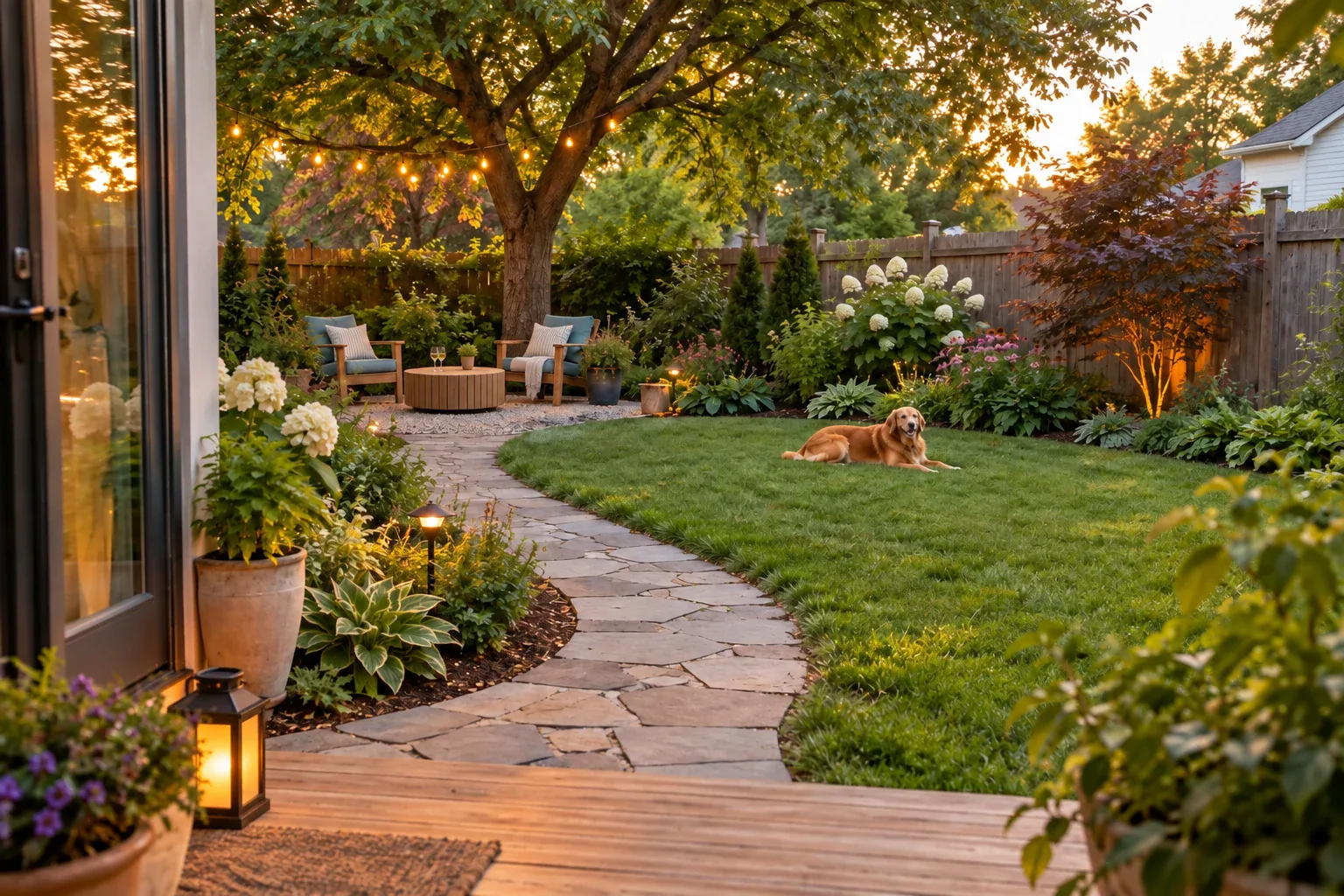
Give a garden idea a real setting
If you can't agree on what to plant around the patio, a picture gives you something concrete to compare.
Open Meta AI’s image tool and upload your yard photo for an edit. Keep that original photo handy when you compare the results.
Meta AI supports creating images from descriptions, using uploaded photos as a starting point, and changing parts of an image with instructions. You can use a yard photo to explore the planting around an existing place to sit.1
Begin with the view you see from the back door. A photo taken from that position makes it easier to discuss the same space with someone else. Keep the house, seating and route into the garden visible.
Try a softer edge around an existing patio
In this example, the patio has room for two chairs, but its bare edge makes it feel exposed. The project is planting around that edge, not replacing the patio.
- 1
Photograph the whole setting
Include the chair positions and the route back to the house. Supply the actual light and watering conditions.
For example: Keep this patio, these chairs, the doorway and the open route to the lawn.
- 2
Describe the change
Request a planting concept that supports how you use the patio.
For example: Edit my photo to add a soft planted edge outside the paving. Use repeated green foliage with a few white flowers. Leave room to pull the chairs back and keep the camera view unchanged.
- 3
Choose one adjustment
Ask the other people who use the garden what they would change before requesting another version.
For example: Make the planting lower beside the chairs while keeping the fuller corner beside the fence.
Compare styles without changing the whole scene
Keep the same photo and scope for both requests. Otherwise you may be choosing a bigger patio or better lighting rather than a planting style.
Patio, chairs and path
Let this vary: Loose planting or clipped shapes.
What you learn: Which garden character you prefer.
Bed area and daylight
Let this vary: Mostly foliage or more flower color.
What you learn: How much seasonal color you want to manage.
Fence and viewpoint
Let this vary: Low planting or a fuller corner.
What you learn: Where you want openness and where enclosure feels useful.
Write down what you like about the image
Note the details you want to keep before asking for another version.
Write down what won: perhaps repeated grasses, fewer colors, or lower planting near the chairs. Save the original yard photo with the preferred concept so a later conversation does not lose the real boundaries.
If you ask for another edit, name those decisions. “Keep the low edge and the white flowers; only make the corner fuller” is easier to evaluate than “make it nicer.”
When to stay with Meta AI or move to Gardenful
Gardenful publishes this comparison. Meta AI can help you agree on a look. Gardenful helps you take that look further, with a realistic design for your yard and suggestions for the plants that could create it.
Agree on a look
Meta AI: Generate and discuss photo-based ideas in words.
Gardenful: Find planting you like without having to name every plant or write a detailed prompt.
Choose what can change
Meta AI: Describe the original objects and areas to preserve.
Gardenful: Mark the design area and add site constraints.
Continue toward planting
Meta AI: Turn the favorite image into a written brief and plant research.
Gardenful: Keep the picture, plant names and suggested quantities together when you're ready to shop.
Check the patio at the size you actually use
Before buying plants, sit in the chairs and walk the route with them pulled out.
Allow for the mature spread of plants beside the paving, and choose them for the site’s real light and moisture. A small pot can become a wide plant that changes how the patio works.2
Use the concept to discuss the feeling you want, then check the plant names and layout against the actual patio. If the change requires moving paving or dealing with a drainage problem, get local help for that part.
Frequently asked questions
Can Meta AI redesign my backyard photo?
Meta AI documents using uploaded photos and describing changes to them. Ask for a garden concept within the existing yard and check that the original objects remain where they belong.
Should I ask Meta AI for a garden image or upload a photo?
Use a text-only image for broad inspiration. Upload a photo when you need to judge whether a planting idea fits your own house, patio and paths.
Why use Gardenful if Meta AI can make garden pictures?
Meta AI can help you explore a look. Gardenful helps you figure out what to plant, too. Start with your photo and preferences, then see a realistic design with plant names and suggested quantities. You don't need to know the plants before you begin.
 Gardenful
Picture a greener edge around your patio.
Bring your patio photo and favorite planting ideas to Gardenful. Explore a design shaped by your taste, with suggested plants and quantities to help you get started.
Gardenful for iPhone
Download the app free and start with a photo of your yard.

Sources(2)
Official feature documentation and planting guidance.
- [1]
- [2]Right Plant, Right Place: Plant Selection and Siting
University of Florida IFAS Extensionhttps://ask.ifas.ufl.edu/publication/EP416